Rollout Inline
Ранний доступ
- Разработчик
- MLMEDIA
- Вышла
- Sep 15, 2026
- Steam reviews
- 95% of players recommend it, from 439 reviews — Steam calls that “Very Positive”
- Метки
- IndieSimulationSports
В Linux, на Steam Deck и Steam Machine
Valve проверила, что игра отлично работает на Steam Deck (на её сборке Proton), — отчётов сообщества на ProtonDB пока нет.
Valve присвоила ей статус «Проверено» для Steam Machine. Valve отмечает её как совместимую со SteamOS.
Уровень Proton: ProtonDB · Оценка Deck: Valve · Оценки для Steam Machine, Steam Frame и SteamOS: Valve · Сравнить игры (2 053) · Все игры, которые Valve оценила для Steam Machine
То же самое для всех ваших игр. Вставьте профиль Steam: без аккаунта и без установки.
About this game
The developer's description, from the game's Steam store page.

Overview
Rollout Inline is a brand new inline skating game created by a solo dev who is passionate about the sport. It aims to scratch the itch for those who have been craving a new, modern, and intuitive inline skating game!
Enjoy an immersive single-player experience that offers a simcade gameplay feel all about the sport of Inline skating. Whether you are a real-life blader or someone who enjoys extreme sports games, this one is for you!
Built for Controllers
Rollout Inline is built for controllers. While the core gameplay, such as steering and spinning, is on the left stick and jumping on the right stick, grinds and cess slides are performed with dual-stick controls, with each stick representing each foot.
Feature Overview:
Riding, Grinding, Cess Slides, Free Spinning & Flipping, Air Grabs, Toe/Heel Rolls, Handplants, Physics/Momentum-based Movement, Ragdoll, Balancing Mechanics (Optional), Multiple Maps, Intuitive Controls, Replay Editor, Original in-game Music/Radio, Challenges, Progression System, Difficulty Settings.
Dual Stick Grinds
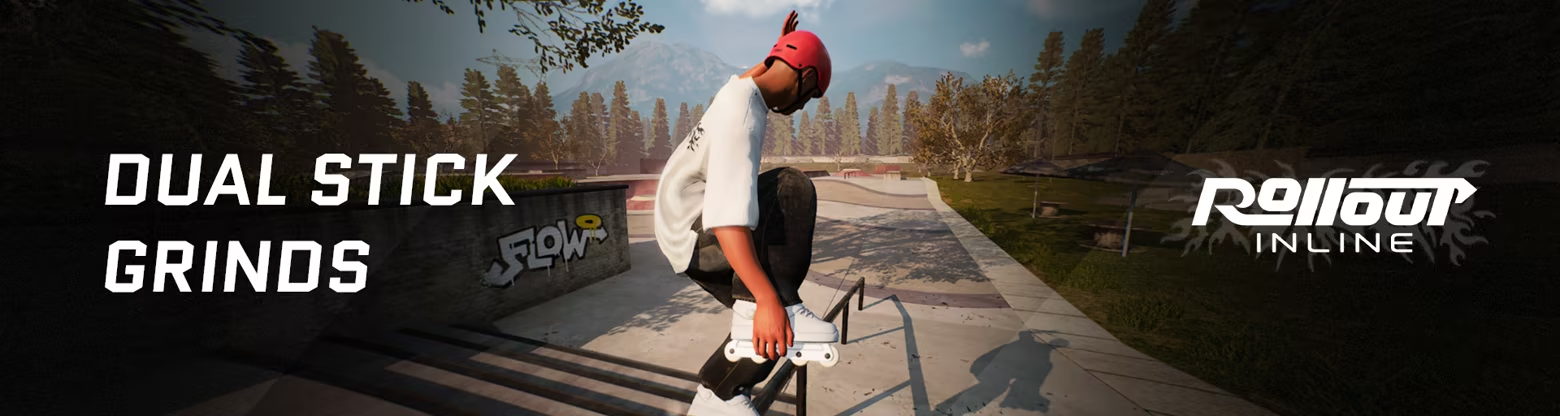
This allows for a huge grind selection and all the creative freedom you could hope for while offering an intuitive gameplay feel! Alternative controls for spinning can be set up in the settings, unlocking even more control and freedom of movement for your skater!
Customization
Customize your character and skates in the in-game customization menu! Clothing items get unlocked by progressing in the game. You can freely customize your skates at any time - no unlocks needed!
Challenges & Progression System
Push your limits in various challenges and level up your maps while unlocking new clothing items to style your skater! Challenges will show up in every map, and once you complete a batch of challenges, your map level increases and a new set of challenges will appear, with each level increasing the difficulty! Challenges from an earlier level are always replayable.
Multiple Maps
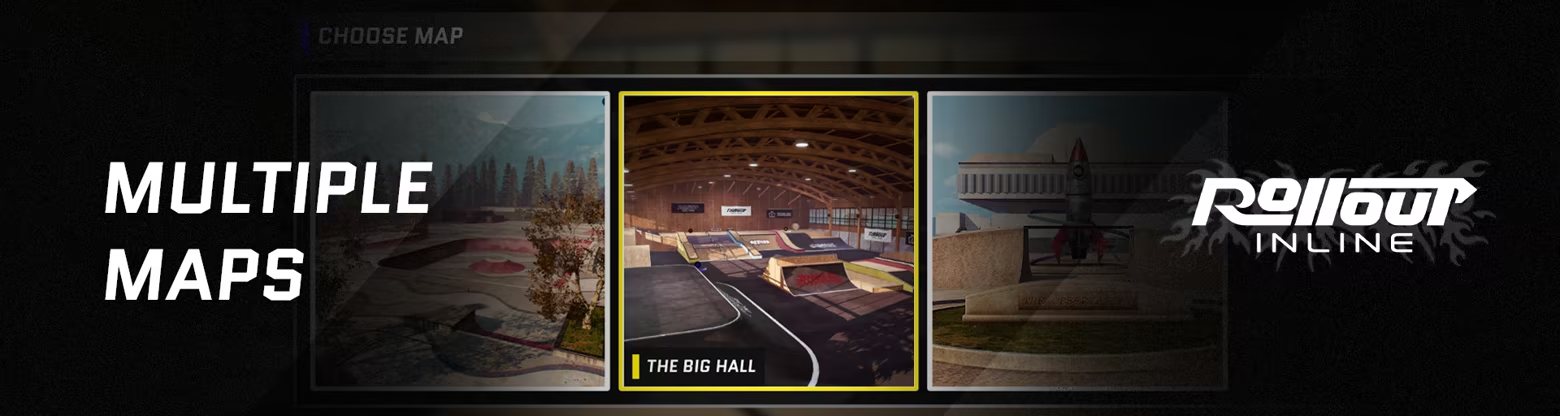
Explore multiple maps with various challenges and features like massive gaps, long rails, vert ramps, pools, and more! 3 maps will be available on the day of the Early Access launch.
System requirements
As Steam lists them.
Windows
Minimum
- Requires a 64-bit processor and operating system
- OS
- Windows 10+
- Processor
- Intel Core i5-6600k or AMD Ryzen 3 3300X
- Memory
- 8 GB RAM GB RAM
- Graphics
- GeForce GTX 1050 Ti or Radeon RX 460 (4GB)
- DirectX
- Version 12
- Storage
- 2 GB available space
- Additional Notes
- Rollout Inline plays best at high FPS! Make sure to adjust your graphics settings to get at least 60FPS. Connect your controller before launching the game. If you get any controller issues, especially with dualshock or non xbox controllers - checking out your Steam input settings can help resolve issues!
Recommended
- Requires a 64-bit processor and operating system
- OS
- Windows 10+
- Memory
- 16 GB RAM
- DirectX
- Version 12
- Storage
- 2 GB available space
- Additional Notes
- Rollout Inline plays best at high FPS! Make sure to adjust your graphics settings to get at least 60FPS. Connect your controller before launching the game. If you get any controller issues, especially with dualshock or non xbox controllers - checking out your Steam input settings can help resolve issues! An Xbox controller is recommended for the best experience + force feedback!
News
What Rollout Inline's studio and the outlets Valve syndicates on Steam have said recently.
Mods
Upload a mod →Discussions
Open the board →Guides
Write one →More like this
Games in Sifter’s catalogue sharing the most Steam genres with this one.

Out of the Park Baseball 27
Shares 3 genres: Indie, Simulation, Sports
American Truck Simulator
Shares 2 genres: Indie, Simulation

Assetto Corsa
Shares 2 genres: Indie, Simulation
AX:EL - Air XenoDawn
Shares 2 genres: Indie, Simulation

Banished
Shares 2 genres: Indie, Simulation
Barotrauma
Shares 2 genres: Indie, Simulation