← Gaming news
Steam Deck Quick Setup Guide
Night Study should run just fine on your Deck, in "Proton Experimental" Compatibility mode. If you have no idea what that means, don't worry. It's really easy to setup and only needs to be done once.
Step 1
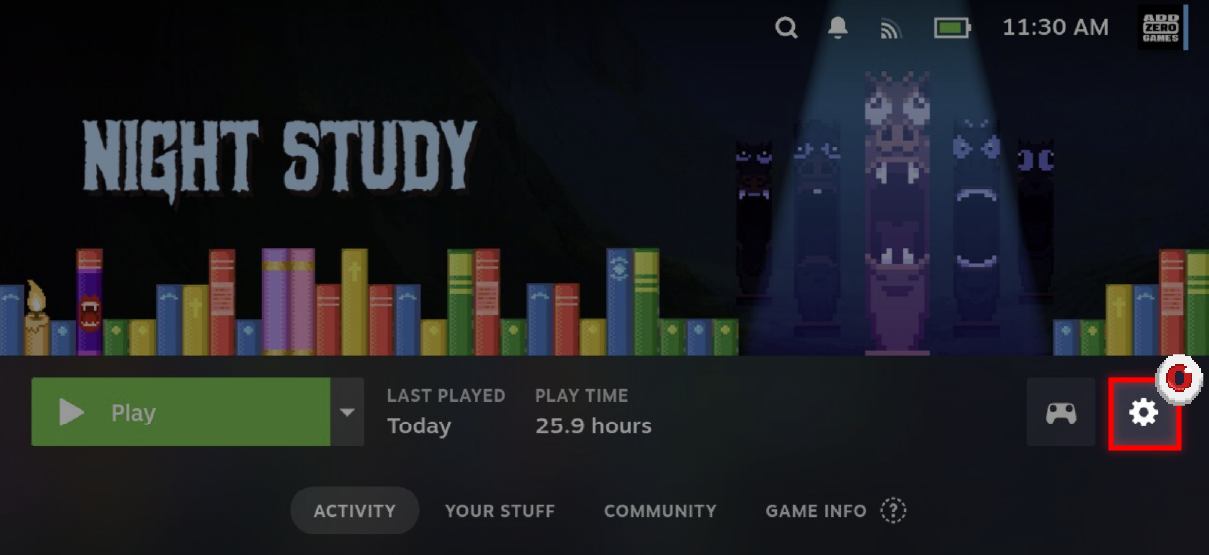
In your library, find Night Study and open up the game page like above. Tap on the settings gear icon.
Step 2
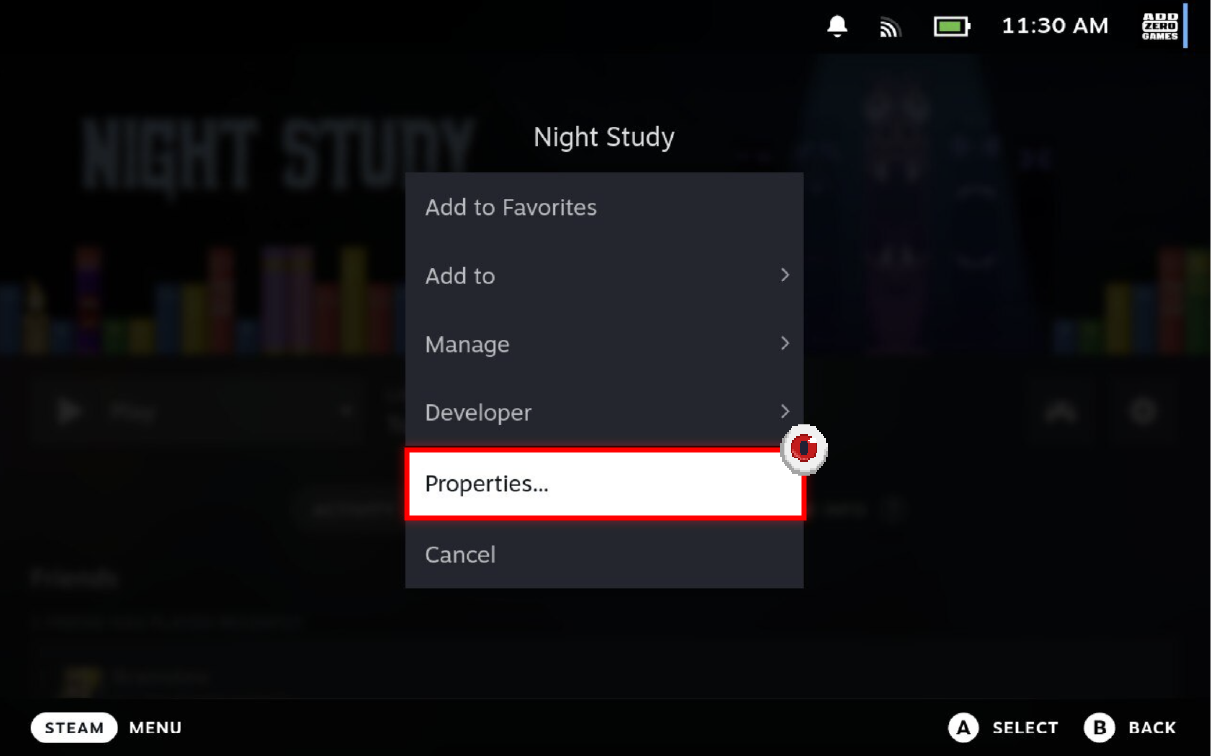
In this settings submenu, tap on "Properties..."
Step 3
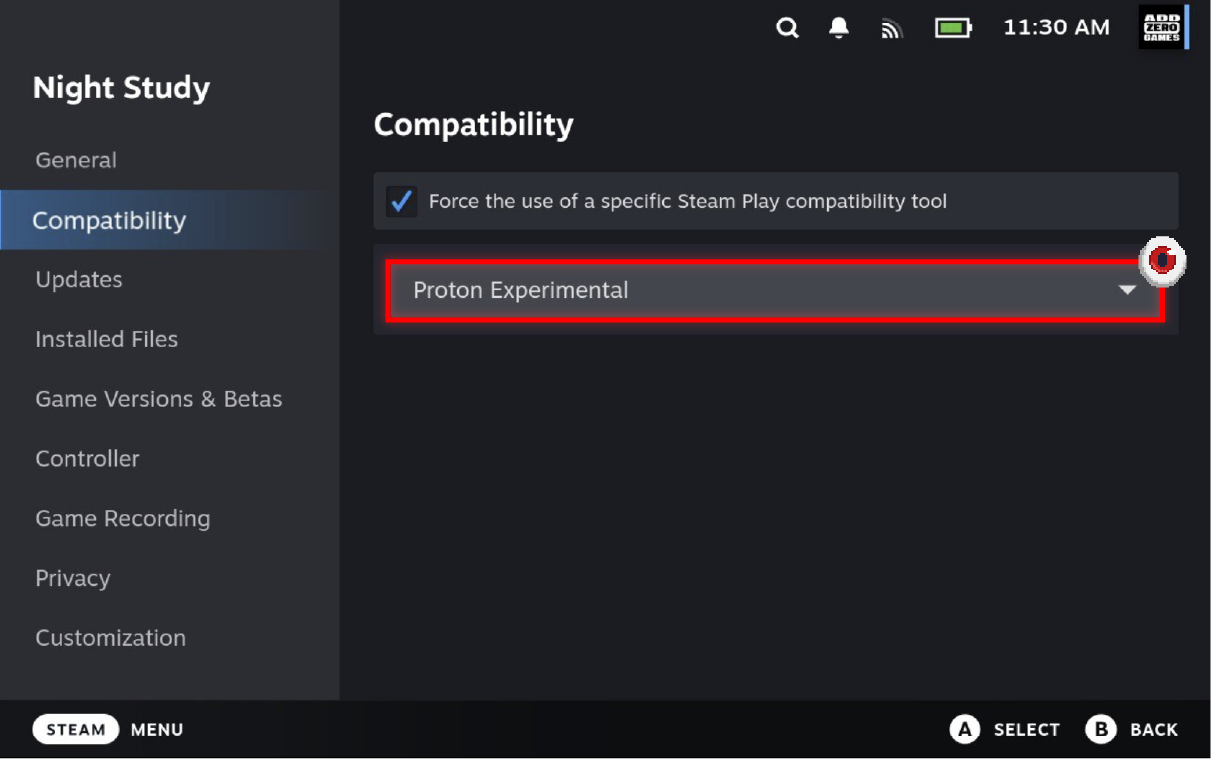
Check the "Force the use of a specific Steam Play comparability tool" toggle, and then select "Proton Experimental" from the available options. Your Deck will automatically download the files it needs.
Now, you're all set!
Posted by the game’s developer or publisher to its Steam community hub and published by Valve through Steam’s public news API. Sifter reproduces it unedited and writes none of it.