Step Back and Enjoy the View: Immersive Scenery
Hello, cultivators! We're Fengling Studio.
While your furnaces keep working, the world beyond the chamber is worth a moment of attention. Today, we'd like to introduce a quiet feature: immersive view.
Move the Interface Aside
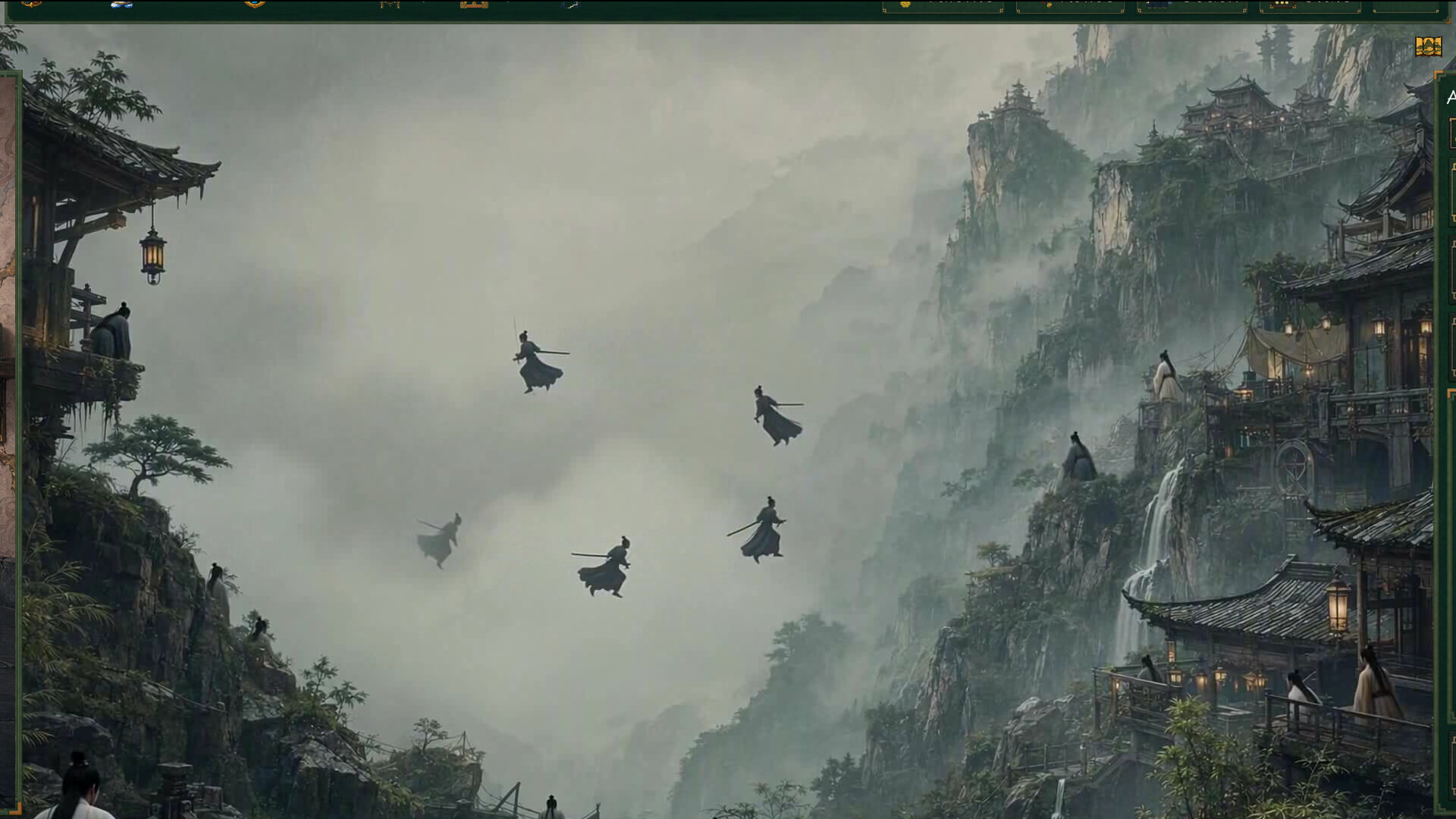
Select the scene icon in the chamber's top-right corner. The top bar, alchemy chamber, and right-hand management panel slide toward the screen edges, leaving only a small margin so more of the current scene can be seen.
When the selected scene has a looping animated background and Low Flash is not enabled, mist, light, and distant cultivators move gently through the view. With Low Flash enabled, you can still use immersive view with a static background.
Return Whenever You Like
- Select the icon again: Restore the normal interface layout.
- Keyboard or controller: Press Esc, controller B, or Start to return.
- Visual only: Immersive view does not change scene unlocks, saves, or alchemy results.
Scenes unlock as your total reincarnations increase. Whenever you unlock a new one, you can step into immersive view and take in the new realm.
Light the Furnace with Us
Add Alchemy Master to your wishlist for release news.
Would you pause between batches to enjoy the scenery? Share your favorite scene in the comments.
Fengling Studio
Posted by the game’s developer or publisher to its Steam community hub and published by Valve through Steam’s public news API. Sifter reproduces it unedited and writes none of it.