v2.1 Is Here: Steam Workshop Now Open, Reworked Split Reaction Mode And More
This update brings Steam Workshop sharing, a complete rework of "Split" reaction mode, more control over all 3 reaction modes, and several improvements to presets and everyday use.
Steam Workshop Now Open: Share Your Galaxy

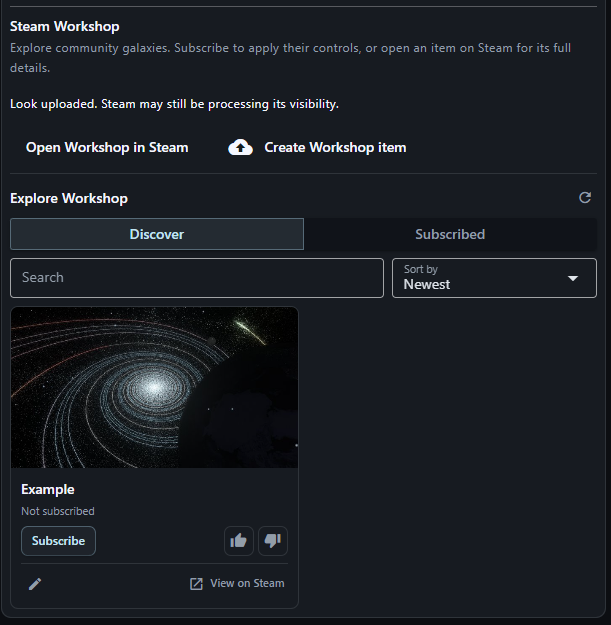
Share your own galaxy creations and discover creations made by other players, directly inside the GAV App:
- Browse Workshop items, preview their appearance, vote for your favorites, and subscribe to download and apply their settings.
- Create a Workshop item from your current galaxy, capture a preview directly in the app or upload your own image, and add a title and description.
- Already published something and want to change it? Update your own Workshop item with your current look without creating a new listing.
Note: Workshop items share your galaxy’s visual settings. How they come to life still depends on the music you play. When publishing, consider mentioning which tracks or genres work especially well with your creation!
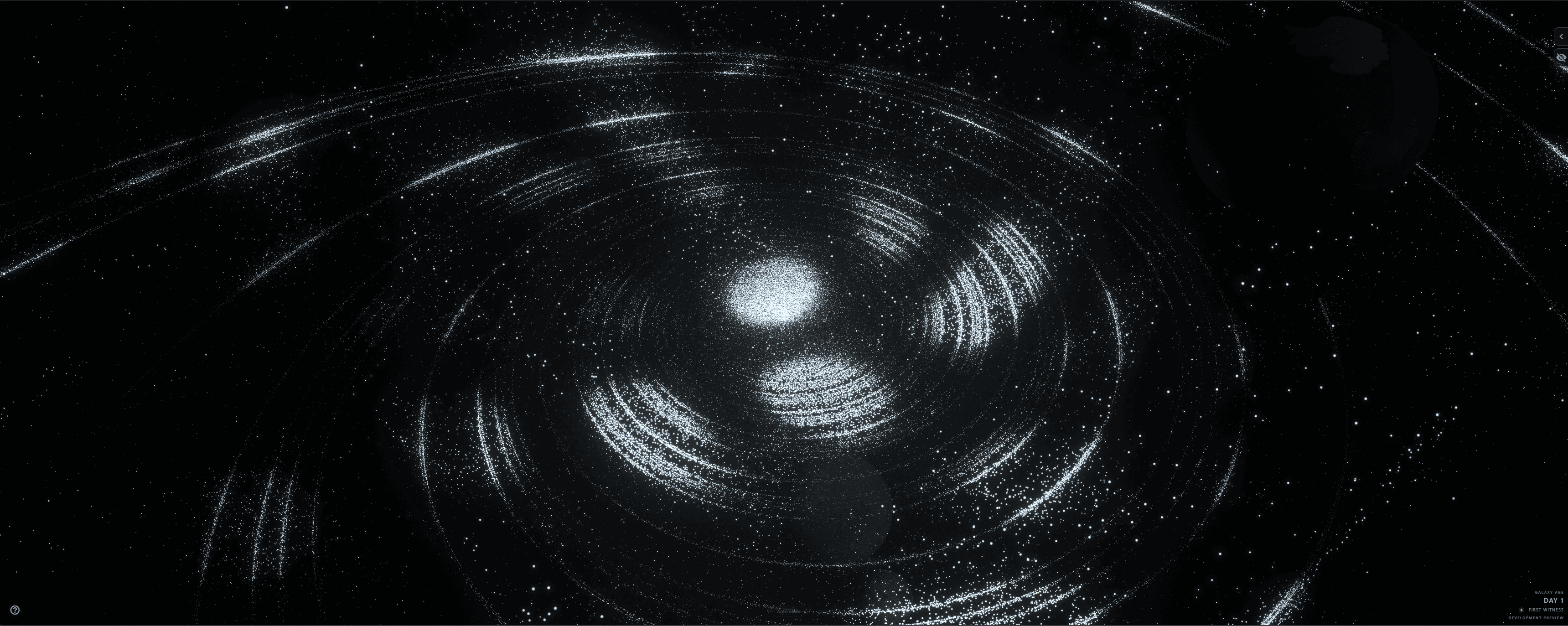
Split Mode: More Depth, Clearer Reactions
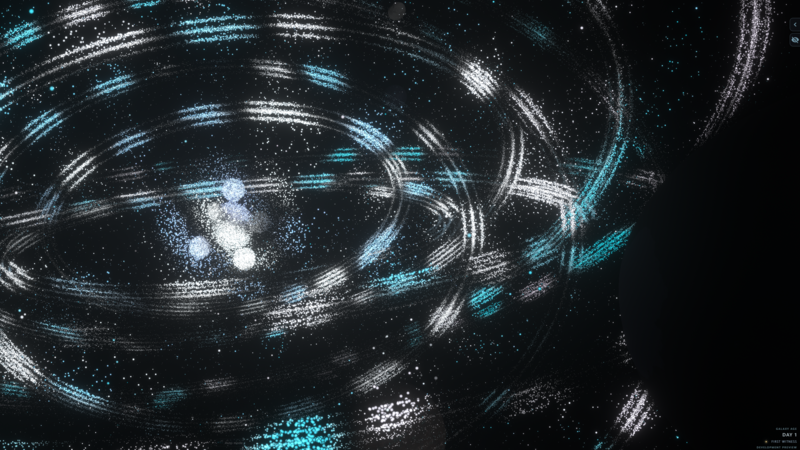
- Split mode has a refreshed appearance. Its new look is designed to feel like scattered sunspots are breaking through the universe, splitting the galaxy and revealing only certain areas.
- Bass and treble now have more clearly separated visual responses, helping low hits and crisp highs stand out independently. The size of the illuminated regions also responds more noticeably to the music.
- Use the Split detail slider to move between broader, softer regions and smaller, more irregular patterns.
Note: Try the new Split mode with the “Punchy” Reaction Style. Depending on the track, this combination can lead to some pretty trippy visuals.
More Control Over Every Reaction Mode
Each reaction mode now has its own dedicated slider to fine-tune its visual character:
Core–Halo: Adjust how distinctly individual sound regions stand out.
Flowing: Use Flow variation to move from a calmer flow to faster, more varied light patterns.
Split: Use Split detail to move from broader, softer regions to smaller, more irregular patterns.
Experiment with different tracks and galaxy shapes to find your favorite combinations.
See What’s Playing
A current track display shows the song title and artist while your music plays.
Enable it in App Settings when using a supported Windows music player that provides track information.
Note: Track information depends on the player. The visualizer continues reacting to your audio even when no title is available.
Minor Improvements & Fixes
- Remembered navigation: The Control Center remembers your selected sections and settings tabs.
- Easier preset management: Delete a saved preset directly from the dropdown, without having to load it first.
- Preset compatibility: Fixed older saved presets that could fail to load, rename, or delete.
What’s Next
Previously announced interactivity update: The release is taking a little longer than expected and will be delayed. A new release date will be shared once everything is confirmed and ready to go.
Feel free to use the discussion board to report bugs, share feedback, or suggest features!
Posted by the game’s developer or publisher to its Steam community hub and published by Valve through Steam’s public news API. Sifter reproduces it unedited and writes none of it.