v1.7.4 - A new forge and UI scaling
A new workshop for the smith
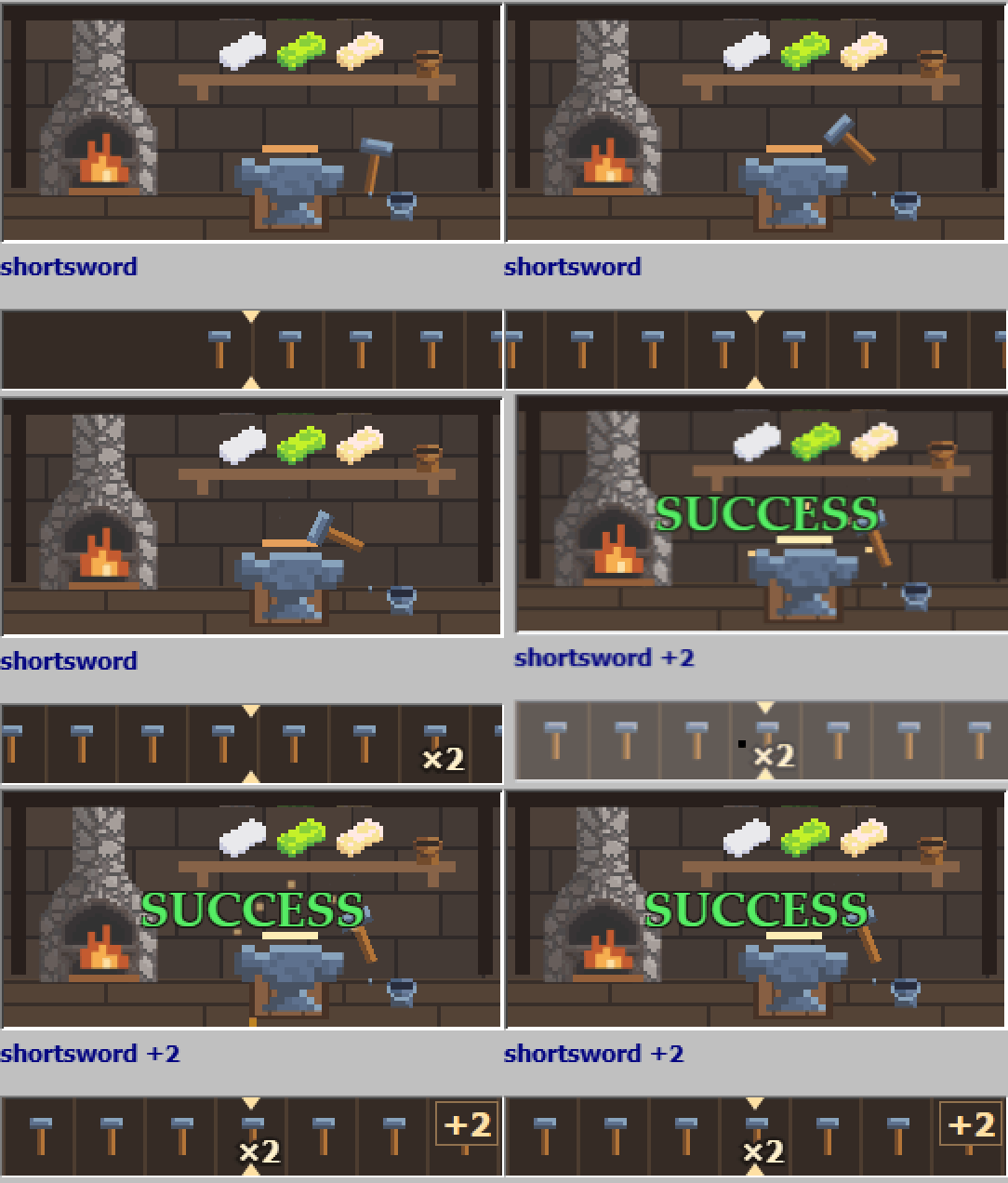
I've given the forge an animated pixel-art workshop. The furnace burns while the smith waits, the hammer gets to work during an attempt, and the result appears over the scene. The reel has matching artwork for ordinary upgrades, doubles, the golden hammer and failed attempts.
I wanted this little corner of the game to feel warmer. The upgrade prices and chances are unchanged.
Let the forge handle upgrades
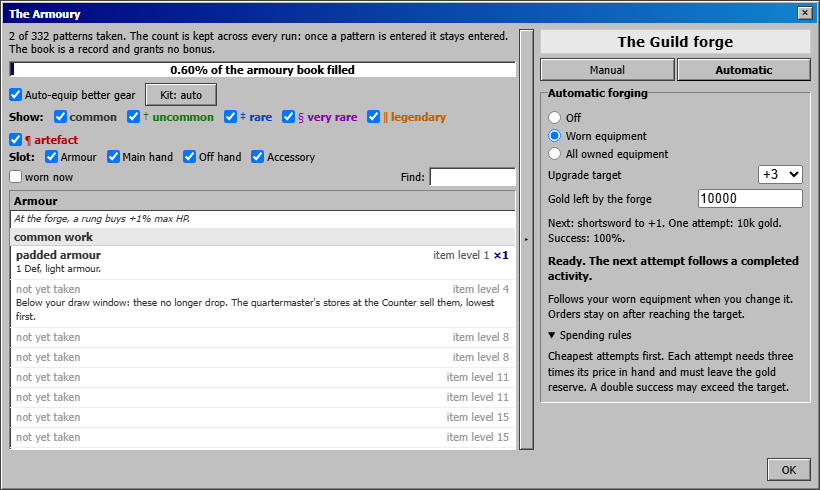
The forge now has an Automatic tab. Choose Worn equipment or All owned equipment, set an Upgrade target, and choose how much gold to leave in reserve. It starts with the cheapest attempts and keeps working while you're away.
You can also choose the mode in Build. The Auto preset selects worn equipment; Manual switches automatic forging off. Existing saves start with it off, so you can decide when to start spending gold on upgrades.
Adjust the UI size
In the desktop app, Options > Accessibility now has a UI size slider. It uses the same saved zoom as the keyboard shortcuts. There's also a separate size step just after language selection during setup, with a reset to 100%.
The setup window now scrolls at larger sizes so you can still reach its controls. I've also fixed the browser forgetting an explicitly chosen 100% size after a restart.
The calendar and skill allocation
I've filled out October, November and December with ten annual observances. These include returning lanterns at Halloween and a holiday parcel in the log from 24 to 26 December.
I'll also try to put together something interesting for Halloween and Christmas. I'll share more once I have something ready to show.
Automatic skill allocation now takes other available skills before spending points on extra connections between parts of the tree you've already unlocked. It fills those connections later. Your existing allocations and saved skill plans stay as they are.
Thanks for the reports and suggestions. They've helped me decide what to work on for this update.
If you run into a problem, send the details on Discord: (If you want to say hello, you can do it to!)
Lowmoor Discord
Posted by the game’s developer or publisher to its Steam community hub and published by Valve through Steam’s public news API. Sifter reproduces it unedited and writes none of it.