How to Create a Private Match
①Once the game starts, complete the tutorial to get started!
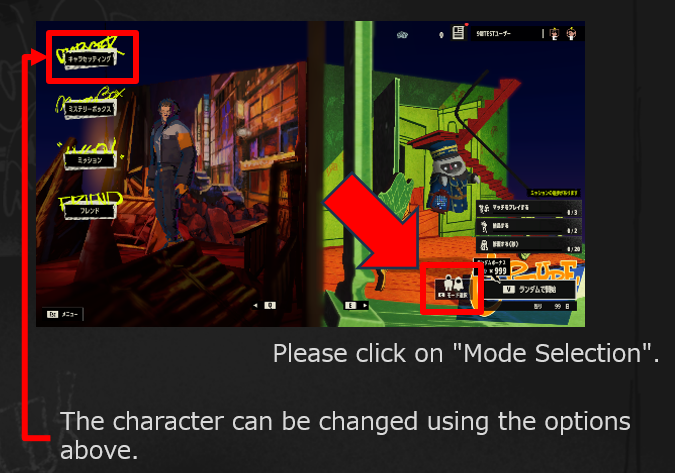
②After selecting your character, click "Mode Selection."
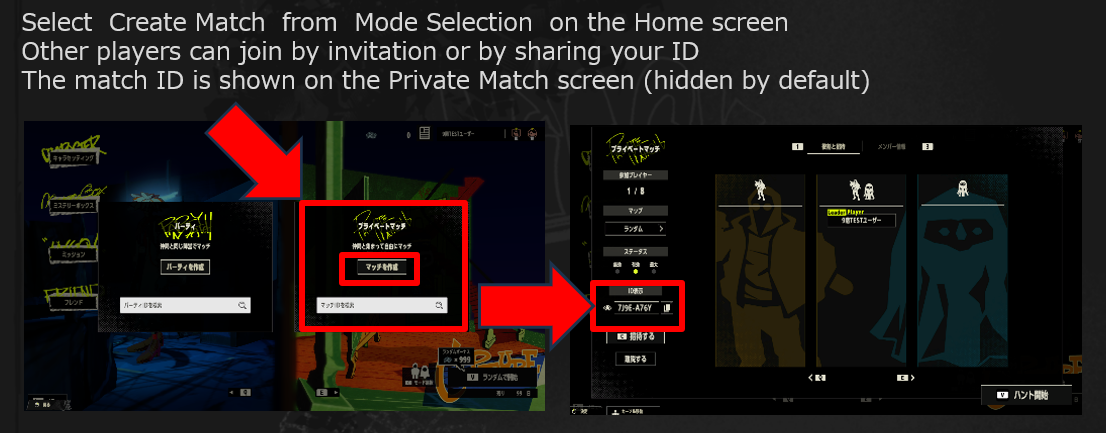
③The inviting player should click "Create Match," copy the displayed Match ID, and send it to the invited player.
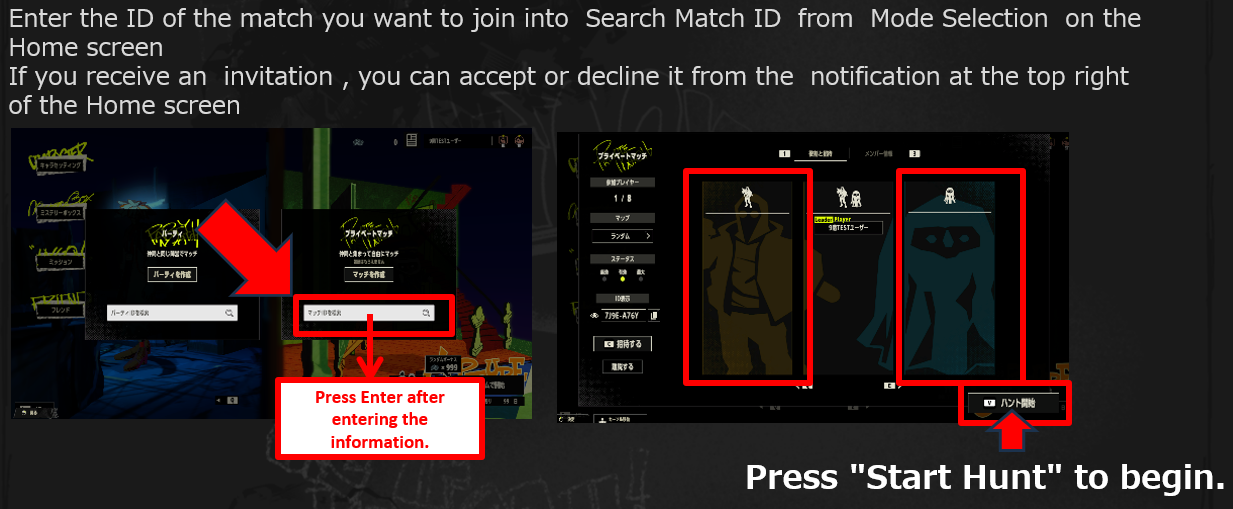
④The invited player should enter the Match ID in the "Search Match ID" field and join the match. After selecting either Thief or Ghost, click "Start Hunt."
Share your Private Match ID on social media and enjoy #PHANTAG with friends and players from around the world!、
Posted by the game’s developer or publisher to its Steam community hub and published by Valve through Steam’s public news API. Sifter reproduces it unedited and writes none of it.