Halloween: the Paladin's Pumpkin, 3 skins, new Collection and the big cleanup
The update goes live today, September 30, at 10 PM Brasília time (01:00 UTC on October 1).
Our biggest update since launch. It closes everything that was open: every bug you reported on Discord has been fixed. And it is Halloween: new skins in the Shop and an event that runs all October. The new Collection arrives too, where a whole set becomes a team buff, along with four new skills, and the game got lighter: the new version uses much less of your graphics card and both versions slow down when out of focus. We also added 15 of your requests from the suggestions channel. Nothing to do on your side: Steam downloads it automatically.
Halloween: the Paladin's Pumpkin (October only)
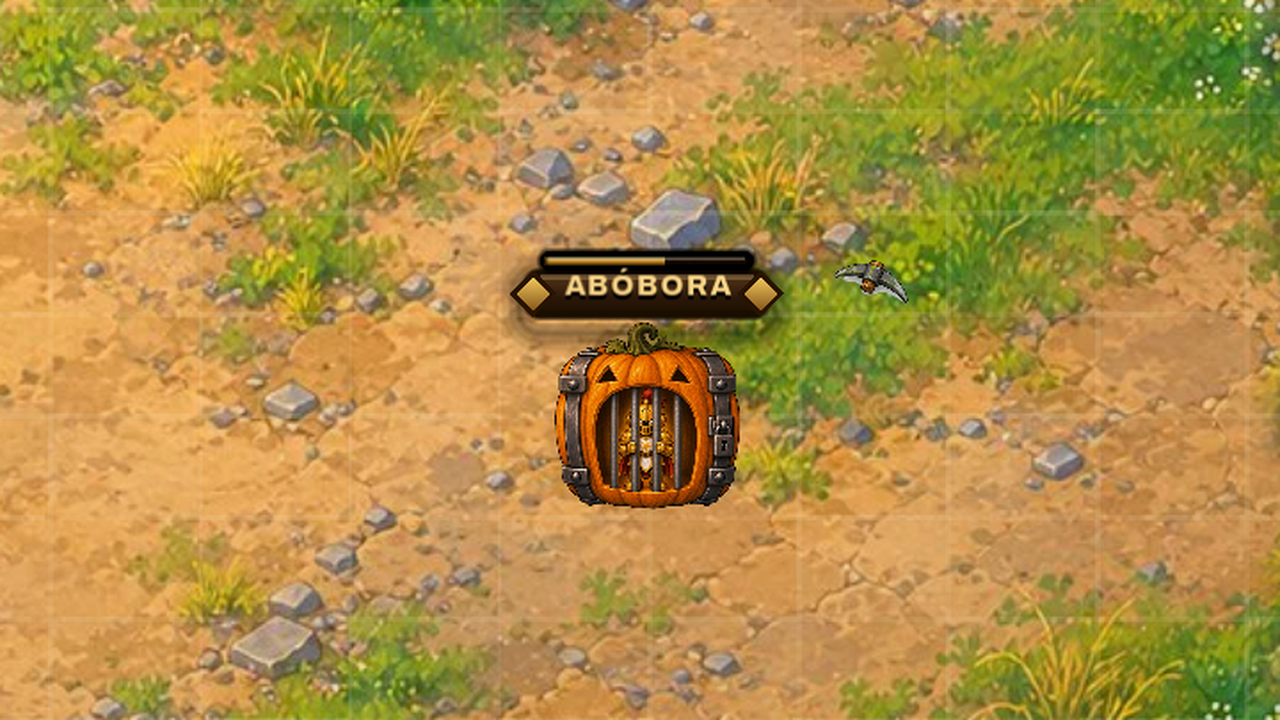
- They say that during October a pumpkin the size of a cage shows up on some map. Almost nobody will ever see one.
- It breaks like a cage. Whoever opens it finds the Golden Paladin inside, and the skin stays on the account forever.
- The Golden Paladin is not sold in the Shop: it only comes from the Pumpkin. One per account.
- It can only appear when a new map is born, and later stages have a slightly better chance. The Event tab in the Shop shows when it is live. It is gone at the end of October.
Halloween skins in the Shop
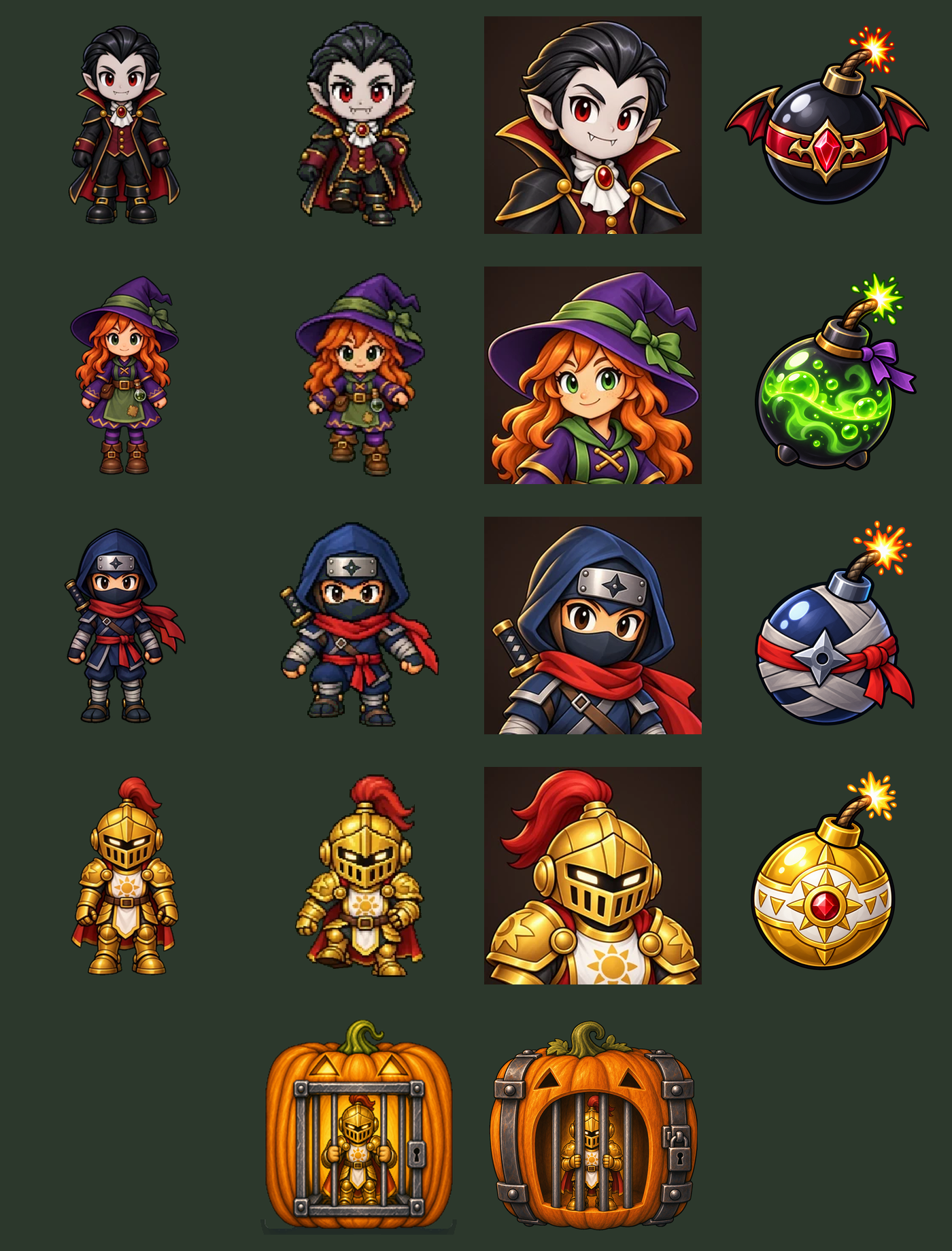
- Vampire Count, Cauldron Witch and Shadow Ninja are on sale in the Skins tab, 2,000 diamonds each, in both versions of the game.
New Collection: a whole set becomes a team buff
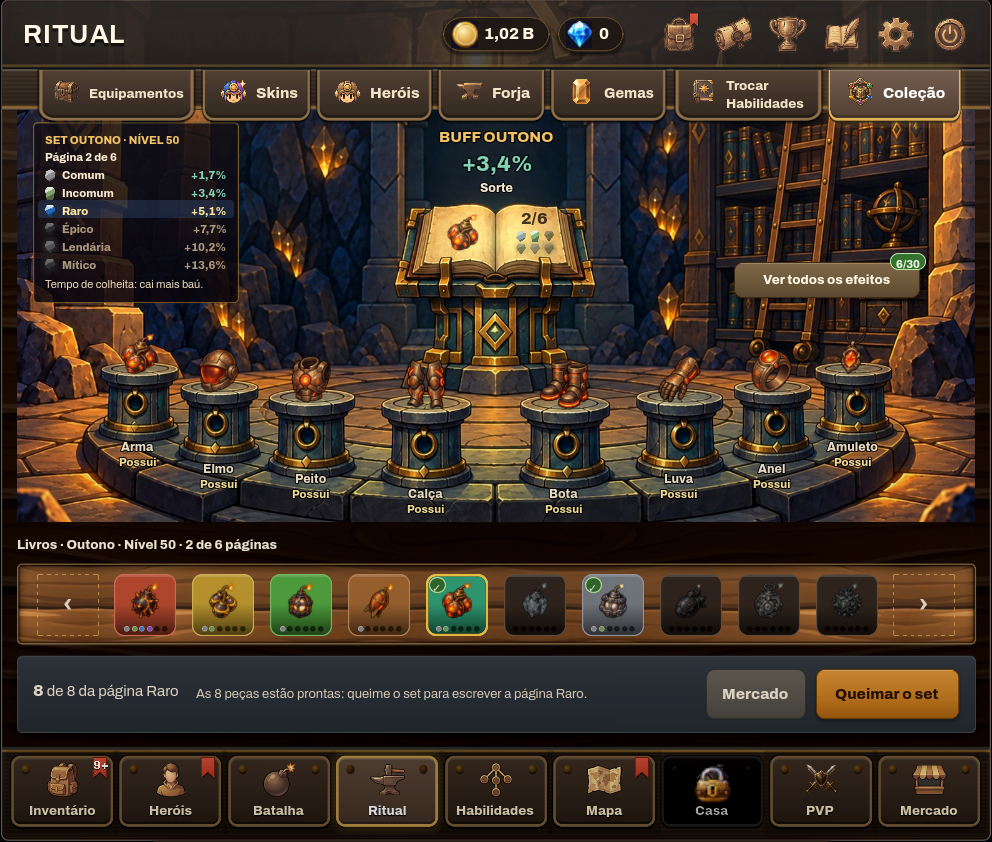
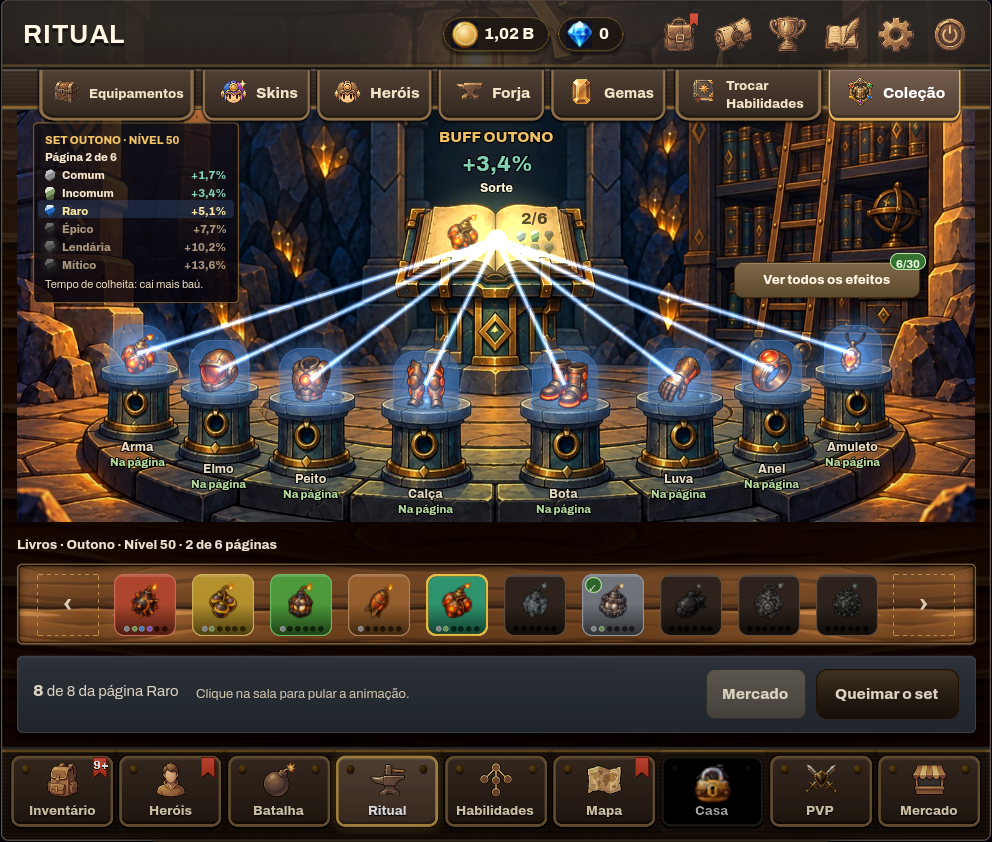
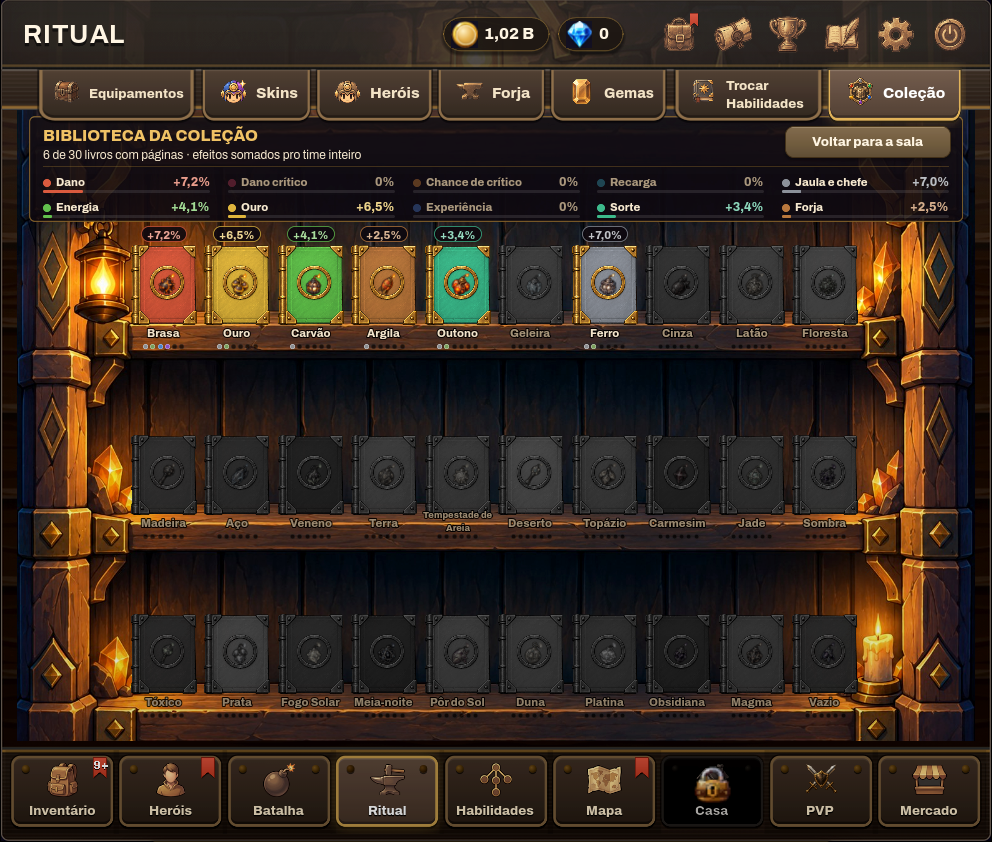
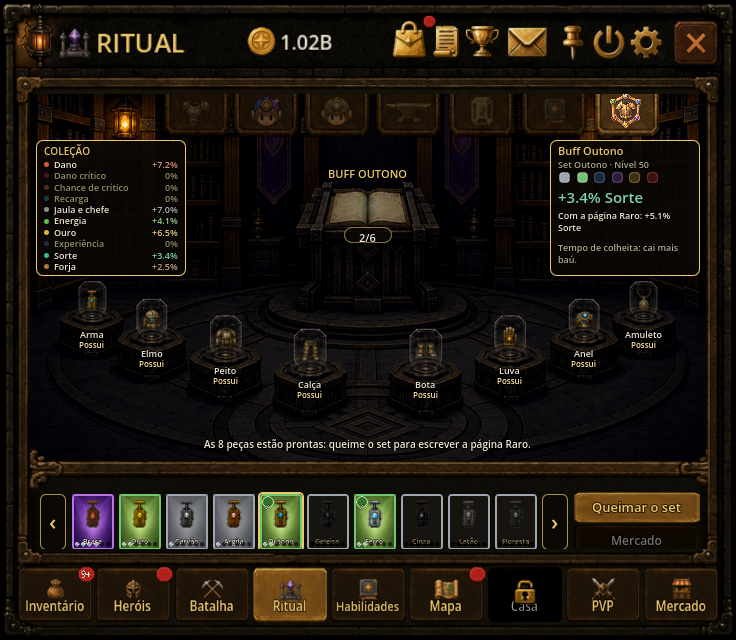
- Collect the 8 pieces of the same set (weapon, helmet, chest, legs, boots, gloves, ring and amulet) and burn all 8 at once: your whole team gets the buff named after the set, forever. Ember Buff, Earth Buff, Void Buff: one for each of the 30 sets.
- Each set is a book with 6 pages, one per rarity, filled in order: Common, Uncommon, Rare, Epic, Legendary and Mythic. Every page adds to the buff and is never lost; the rarer the page, the more it gives.
- Each set has its own buff type: damage, critical damage, critical chance, gold, energy, chest luck, experience, cooldown, forge, or damage to cages and bosses. Void, the last set, gives three at once: damage, critical damage and cooldown. Buffs of the same type from different sets stack, up to a cap per type.
- It applies to every hero on your team, including the ones that join later, and it also counts in PVP.
- In the new version the Collection gets a library: "See all effects" opens the shelf with one book per set and what each page adds. In the classic version the buffs are listed on the same screen.
- Items with a socketed gem cannot be burned (remove the gem first). Forged items can be burned, and the forging is lost, with a warning first.
- Pieces in your Steam inventory join the burn straight from there, no need to withdraw them first. And a click on the room skips the animation.
New skills
- Short Fuse (Uncommon): up to +10 points of Cooldown Reduction, added directly and the same on any hero, up to the Cooldown Reduction cap.
- Carnage (Legendary): an aura that adds up to +100% Crit Damage to the whole team (100% becomes 200%). Two in the field never go past the maximum of one.
- Boss Slayer (Common): up to +100% damage to the 2×2 gate boss.
- Apprentice (Rare): an aura of up to +15% XP for the team, on every rock broken while he is in the field. Two in the field never go past the maximum of one.
A lighter game: graphics card and processor
- The new version uses about 40% less video memory: about 500 MB when the game opens instead of 855 MB, and under 600 MB after visiting every tab instead of 908 MB. This helps on simpler graphics cards or with other programs open. The classic version is unchanged.
- The battle bar (the MINI) redrew its scene 60 times per second, all the time. Now it redraws about 20 times, with the same look: a third of the graphics card work for anyone who leaves the game farming. With "Reduce animations" on, the small scene truly holds still.
- The battlefield is lighter too: bars, outlines and damage marks are drawn once and reused, and the MINI only draws what fits inside it.
- In both versions, the game slows down when it is not in focus: at most 30 frames per second with another window in front and 5 when minimized. Leaving it farming in the background uses much less processor. In focus, your own frame limit applies.
Options
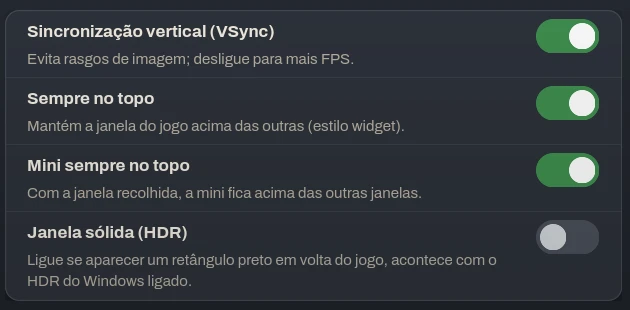
- Mini always on top (Settings, Video and Display, on by default): while the window is collapsed, the mini view stays above other windows, even with the general Always on top turned off.
- Reduce animations is switched off once for everyone, in both versions. Turn it back on if you want and it stays on.
- Skip Forge animation is switched off once. The hidden checkbox from the old screen no longer turns it on by itself; the Forge button is the only one.
Skins

- Vampire, Witch, Ninja, Paladin and Nurse now show in the Ritual skin grid: all 16 cards in 4 columns, with full names.
- Trail and aura in each new skin's own color. Before, all 5 came out aqua blue.
- Face in the round medallion on the hero sheet for the 5 new skins. Before, it showed the whole portrait, tiny.
- Shadow Ninja with his whole foot in the idle animation, and centered on the classic version skin podium.
- Players who got a skin before stage 2-10 can now open the skin screen from the hero sheet.
House and PVP
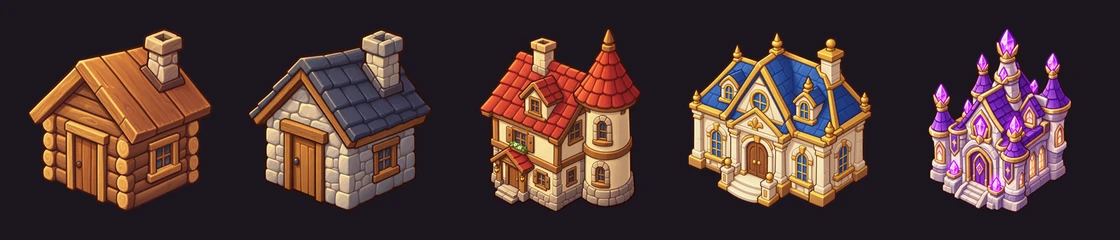
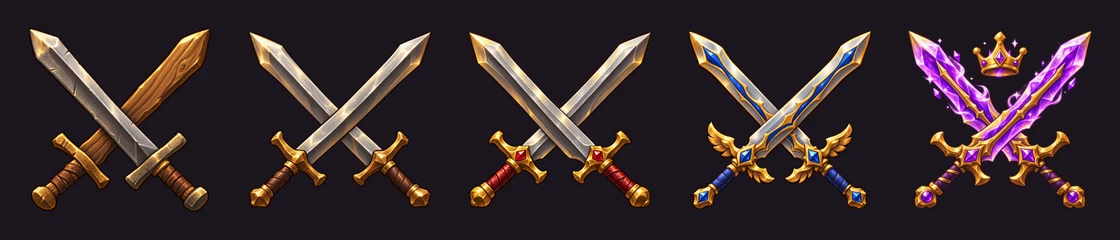
- Each House has its own art: cabin, stone house, tower, mansion and crystal palace.
- One sword per PVP league, and the 5 time pieces drawn in the footer, lit when you can afford the upgrade.
- Locked Houses and leagues show their art faded with the lock on top.
Battle
- When the field is paused waiting for energy, the dark overlay now covers the whole field up to the frame, forest edges included.
- Without VIP, the field corners show the lock and the Pass tip without opening the wing. The wing VIP tag only shows with VIP.
- With the four new ones, Common, Uncommon, Rare and Legendary each get one more skill. The chance of each rarity in the roll stays the same (50%, 30%, 11%, 5%, 3% and 1%), now split among more skills. Legendary changes the most: Lapidary Eye had the 3% to itself and now shares it with Carnage, 1.5% each.
Interface
- The new version notice is now a pill between the title and the gold, inside the frame, covering nothing.
- In the inventory bar, the 3 chests, quick forge and trash now light up on hover, like the other buttons.
- Bring from Steam window: the × and the buttons are centered on their background.
Your requests from #suggestions
- Heroes: in the Heroes drawer list view, a new "All" switch in the Fight column turns every hero on or off at once, with a confirmation.
- Heroes: the Sort button in the Heroes drawer opens a menu with the current order ticked, with three new orders: Energy, "In battle first" and Name. The list is taller too.
- New option: "New heroes start benched", in the Sort menu of the Heroes drawer. Heroes from the cage stay out of battle until you turn them on, and the Log tells you. Off by default.
- Options: "Confirm important actions" now works in both versions. When off, selling, fusing, rerolling, refunding and resetting no longer ask for confirmation. In the new version, upgrading the House asks for confirmation and shows the parts it will use.
- Battle: hold Alt to see each hero's name above them.
- Login queue: the box sits in the middle of the window with the background dimmed, in both versions. In the new version, a button unpins or pins the window on top of the others while you wait.
- Farm Analyzer: "This session's average" now shows how long it has been counting.
- Ritual: new "Hide forged" and "Lv" filters in equipment fusion and in the forge.
- Bag: arrows next to the hero name switch to the previous and next hero, in the hero list order.
- Bag: the item tooltip shows how much Power you gain or lose against what the hero is wearing.
- Forge: with "Level" on or holding Alt, every item shows its level; clicking anywhere on the stage closes the result.
- Thicker scroll bars that are easier to grab.
- The item tooltip now says which hero has it equipped.
- Hero fusion: click a hero with items to unequip everything at once.
- Ritual: the mouse wheel turns the pages of the list.
Discord bugs: all fixed
- Auto open no longer stops on its own when opening chests from the inventory, and when it stops the screen tells you why.
- Locked chests stay closed: clicking, the taskbar and Auto Open all skip them now.
- Quick forge: the forged item stays in the same bag slot, so the next click forges the same item.
- With Quick forge on, clicking an equipped item now forges it without unequipping it.
- You can now package a skin a hero was born with, as long as they're wearing another one. While the package is out, that hero can't switch back to it.
- Your premium skins that can't be packaged right now are dimmed and say why: which hero is wearing it, already packaged, on the Market ship, sent to Steam, or bag full. Before packaging, the game warns which heroes lose their birth look while the package is out.
- On the Map, a locked boss room now shows dimmed and tells you why: which key is missing and where it drops, or which stage to clear first.
- Boss health no longer shows 0% while the boss is still standing; if the gate timer runs out, the screen tells you it survived.
- When your bag is full, the chest slot on the battle bar turns red and explains why the chest won't open.
- The boss room no longer says breaking objects hurts the titan.
- Difficulty names are now the same across the game and the wiki (Easy, Normal, Hard, Very Hard, Inferno).
- "Damage numbers" in Settings now really turns the battle numbers on and off.
- The Market notice and the sell confirmation no longer cover the buttons.
- The new item marker now shows on locked items too.
- The House Upgrade button now tells you what is missing, and locked, listed or equipped parts no longer count as available.
- The hero tooltip no longer cuts off runes when a hero has more than 6.
- Classic: the new skins (Vampire Count, Witch, Ninja, Paladin and Nurse) now show at the right size on the Ritual pedestals.
- The Ritual altar glow now matches the items' rarity instead of always being green.
- The hero Rank letter now shows its grade color in the Inventory, the Heroes list and the side panel.
- Boss room (new version): when the titan falls with rocks still standing, the notice no longer covers the field and tells you what is left: clear the rest of the room before time runs out.
- Heroes tab (new version): each active rune now shows on its own line with its effect and the time left.
- PVP runes (new version): heroes in the apply-rune window show their rarity color, and hovering opens the hero card.
- Market (new version): the tradable items list has a scroll bar and moves one row at a time, with the first row no longer cut off.
- Steam Market skins: the skin card explains the two steps (Bring from Steam, then open the package in your bag) and tells you when the package is already in your bag.
- Full bag: the warning says what is being lost (chests and cages, or keys), and the chest lock only lights up when chests are being lost.
- Busy server: instead of "unknown error" or "check your network", the game says the server is busy and keeps trying on its own, without losing your saved login.
- Rarities (new version): Epic is now a strong purple and reads above the blue Rare, as it should.
- Busy maps (new version): new "Rock outline" option (Settings, Video), a dark line around rocks and breakable targets, in battle and in the MINI. Off by default; pairs well with "Extra map contrast".
- Invite a friend (new version): the screen now lists who joined with your code, each one's phase, and who already earned you the reward.
- Aura abilities now say they only work while their hero is in the field, and Gold Vein and Fortune explain that they multiply your gold on top of your other bonuses (Return, VIP, Boost and tree) instead of adding to them.
- Battle Log: the Rewards tab now shows the chests and cages that drop during a stage and your first-clear prize, alongside keys.
- Heroes, Skills and Skins (new version): ability cards are no longer cut off by the scroll bar, the hero lock now reads "Fight ON/OFF", and English labels on the skill tabs, node counter, Bonuses and current skin no longer overflow.
Posted by the game’s developer or publisher to its Steam community hub and published by Valve through Steam’s public news API. Sifter reproduces it unedited and writes none of it.