Thank you for waiting so patiently, fellow gardeners!
Today, BuGarden is finally here!
It’s been over six months since our demo first bloomed during February’s Steam Next Fest. To everyone who’s been with us along the way: thank you, again! Your feedback, suggestions, and encouragement have been our biggest motivation to finish the game and bring it to launch. Please accept a very deep bow from all of us!
First, let’s take a look at the garden today!
 Watch on YouTube ↗
Whether you’re an old friend or just stopping by for the first time, here’s what’s waiting for you in BuGarden!
1. A little desktop garden to brighten your work and study time
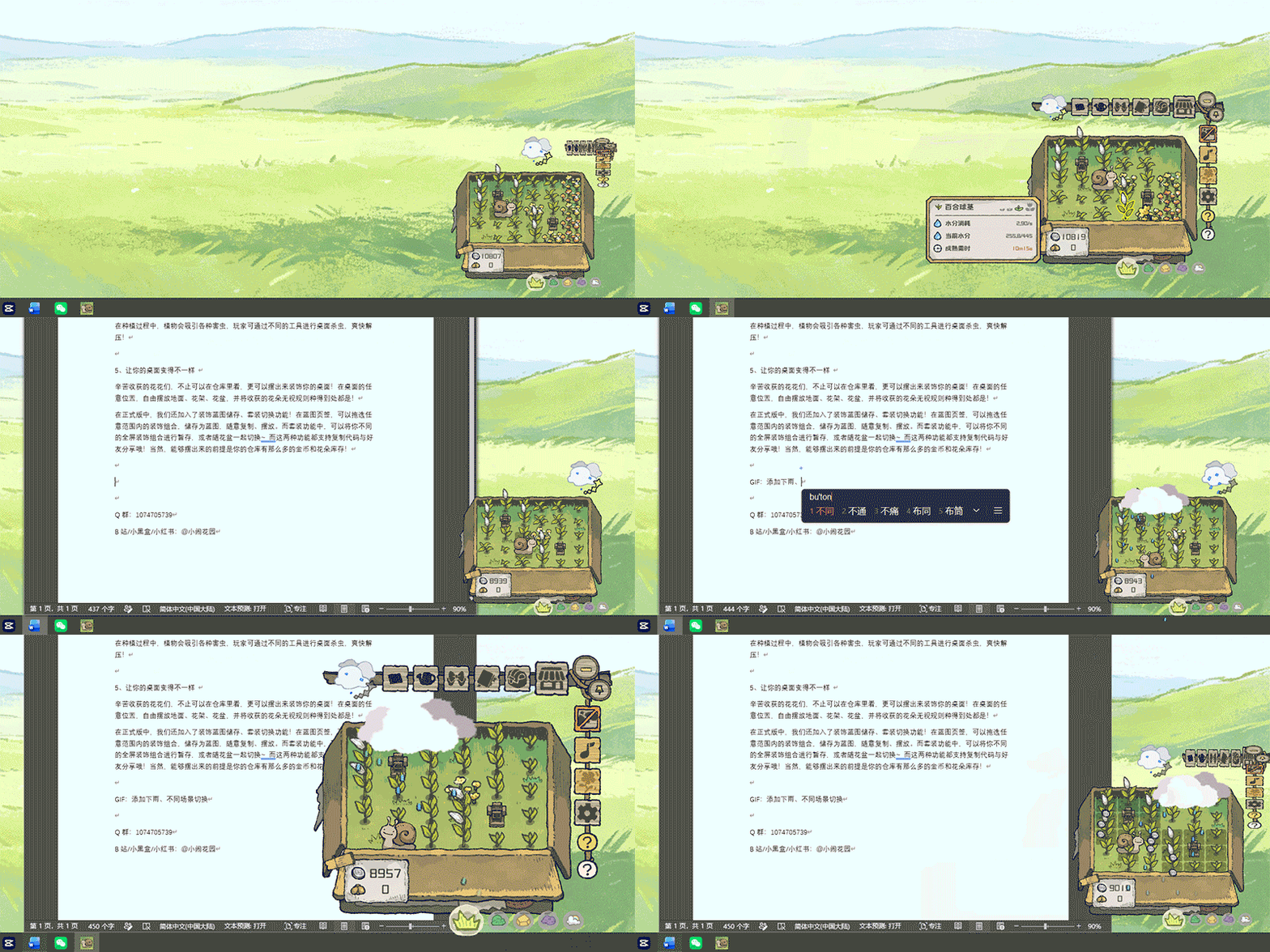
A tiny garden sways peacefully in the corner of your desktop. Drag it around, resize it, and find the perfect spot for it to keep you company. Then let it bloom!
Hover over your flowers, resize them, or move them around, and they’ll bob along with you. Unlike real flowers, these won’t lose their petals or leaves, no matter how enthusiastically you shake them around~
Your keyboard and mouse activity also builds up “energy” that changes the garden’s weather. As you get on with your work, your garden will enjoy the occasional shower—or a lovely little sunbath!
2. A little interaction, a little relaxation—all at your own pace
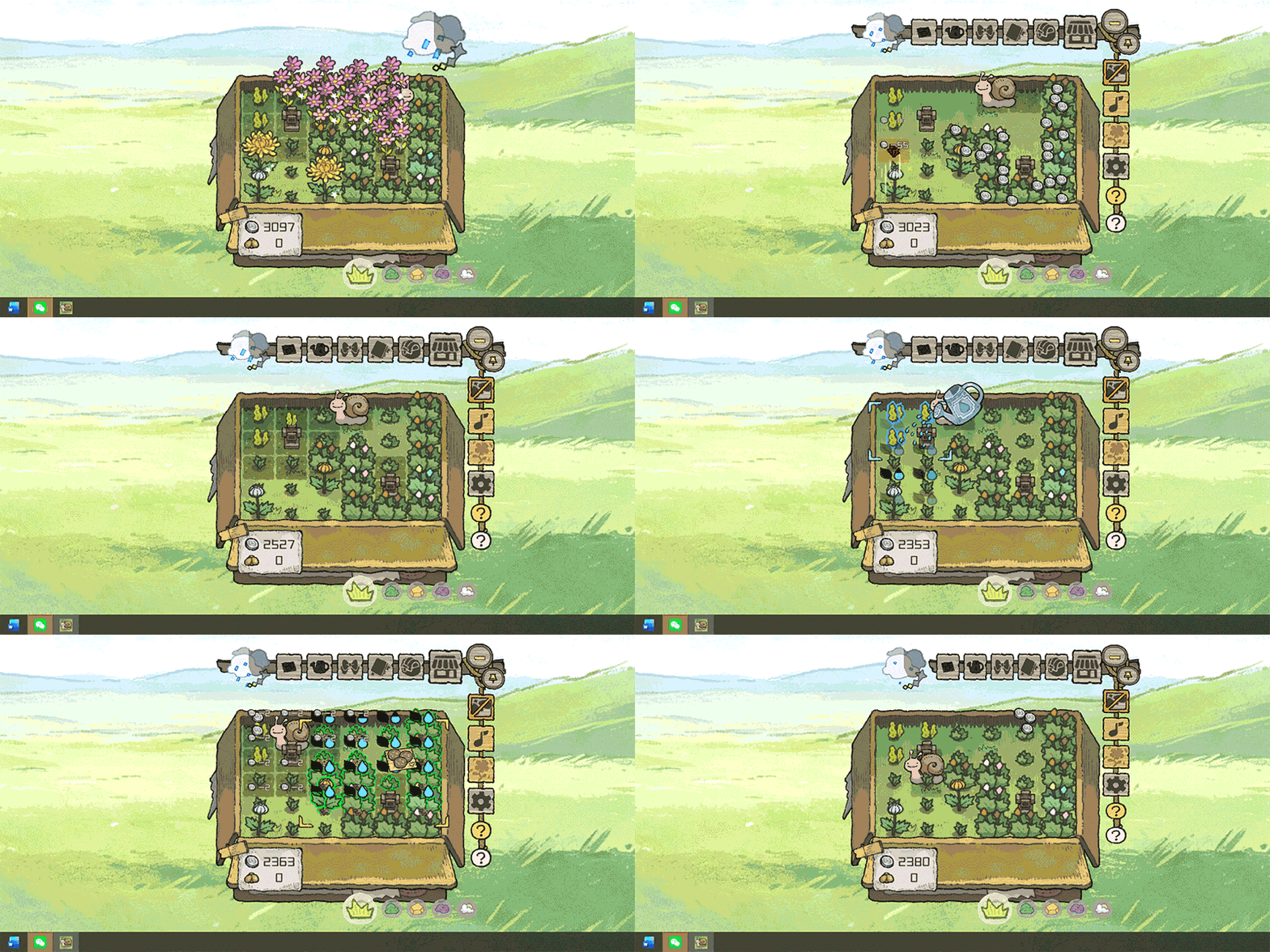
Dip in and out whenever you like! Simply hover over the flower pot to bring up the toolbar, and you’re ready to spend some time with your garden.
When you have a moment, give your flowers some water or fertilizer to help them grow faster. Tools you’ve used are automatically assigned to shortcuts, so you can get back to them with a quick tap!
Quick tip: In the full game, you can also middle-click a flower to start planting more of the same plant right away. No more repeatedly opening the shop to replant after a harvest!
3. Five terrains, hundreds of blooms, and some surprising mutations
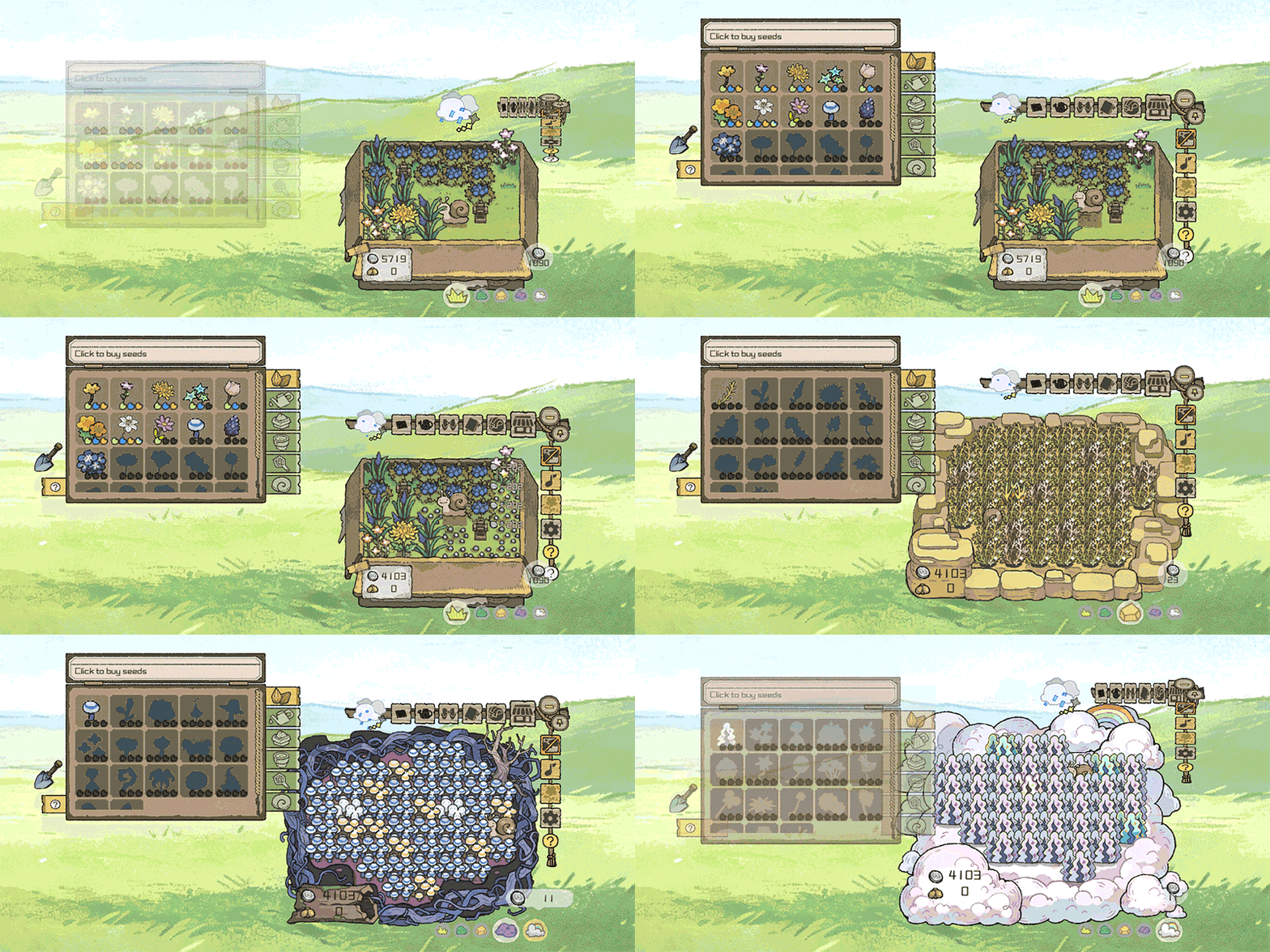
The full game features five terrains: Grassland, Forest, Desert, Swamp, and Sky. Each has its own plants to grow, weather to unlock, and unique desktop decorations!
Different terrains also offer different growing rhythms and rewards. Desert flowers and fruits generally sell for more, for example, while Swamp plants produce more coins as they grow. Naturally, their watering needs and growing times vary too~
4. Helpers who slack off harder than you do, hands-free tools, and hardworking fertilizer
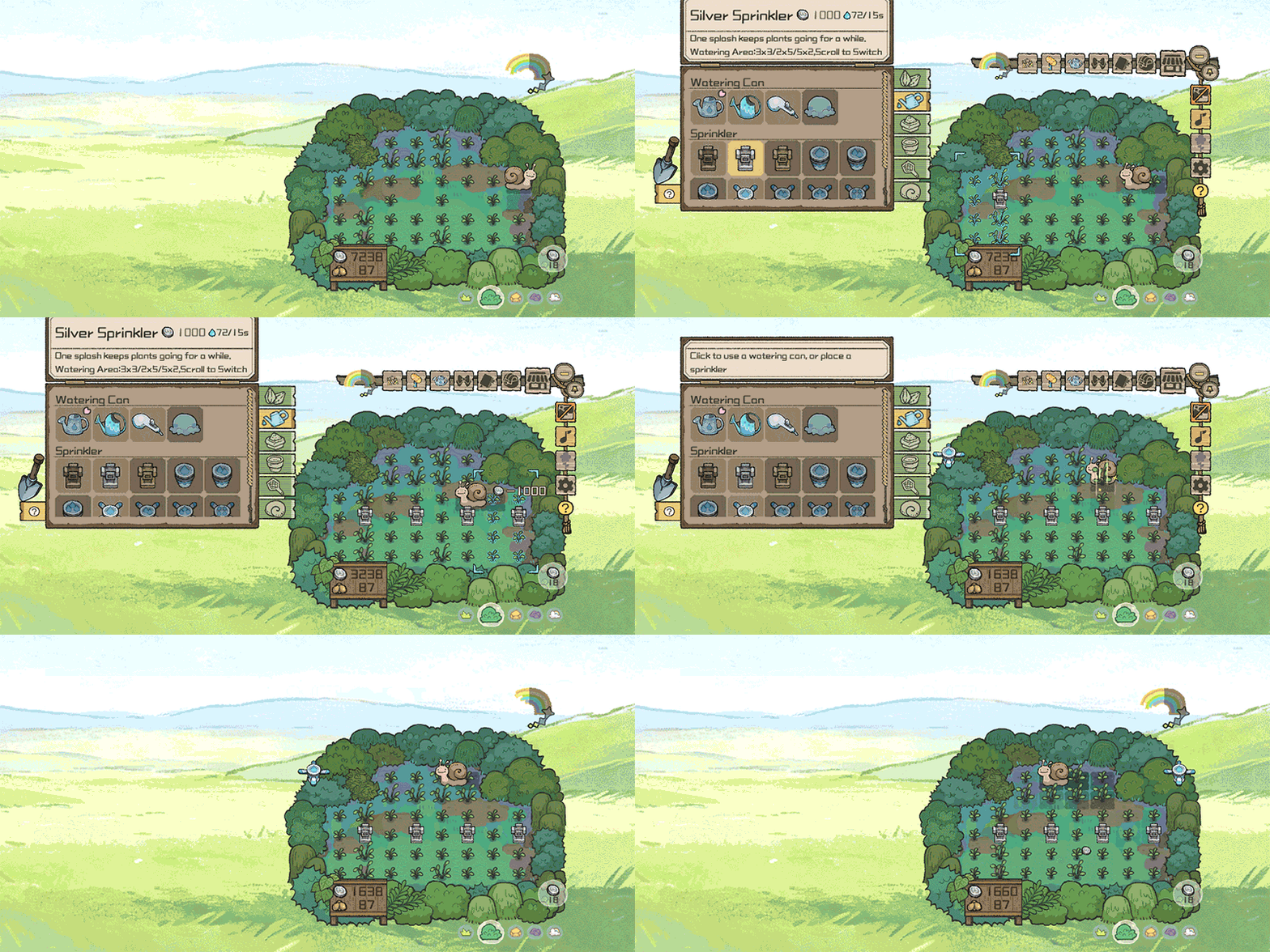
As you plant and harvest more, you’ll unlock increasingly efficient, convenient automatic watering devices, along with more effective, longer-lasting fertilizers. Give your garden a boost, free up your hands, and sit back while the flowers bloom!
Your gardening tools aren’t the only things that can improve. The snails tending your garden can grow and level up too! Increase their movement speed and the amount of water they give each flower as they pass. You can also unlock special abilities to make garden care easier—or simply make your little snails look cuter. XD
Quick tip: In the full game, scrolling the mouse wheel while placing a watering device or applying fertilizer changes its coverage area. Whether you’re aiming for precision or fertilizing absolutely everything in sight, you’re covered!
5. Make your desktop your own
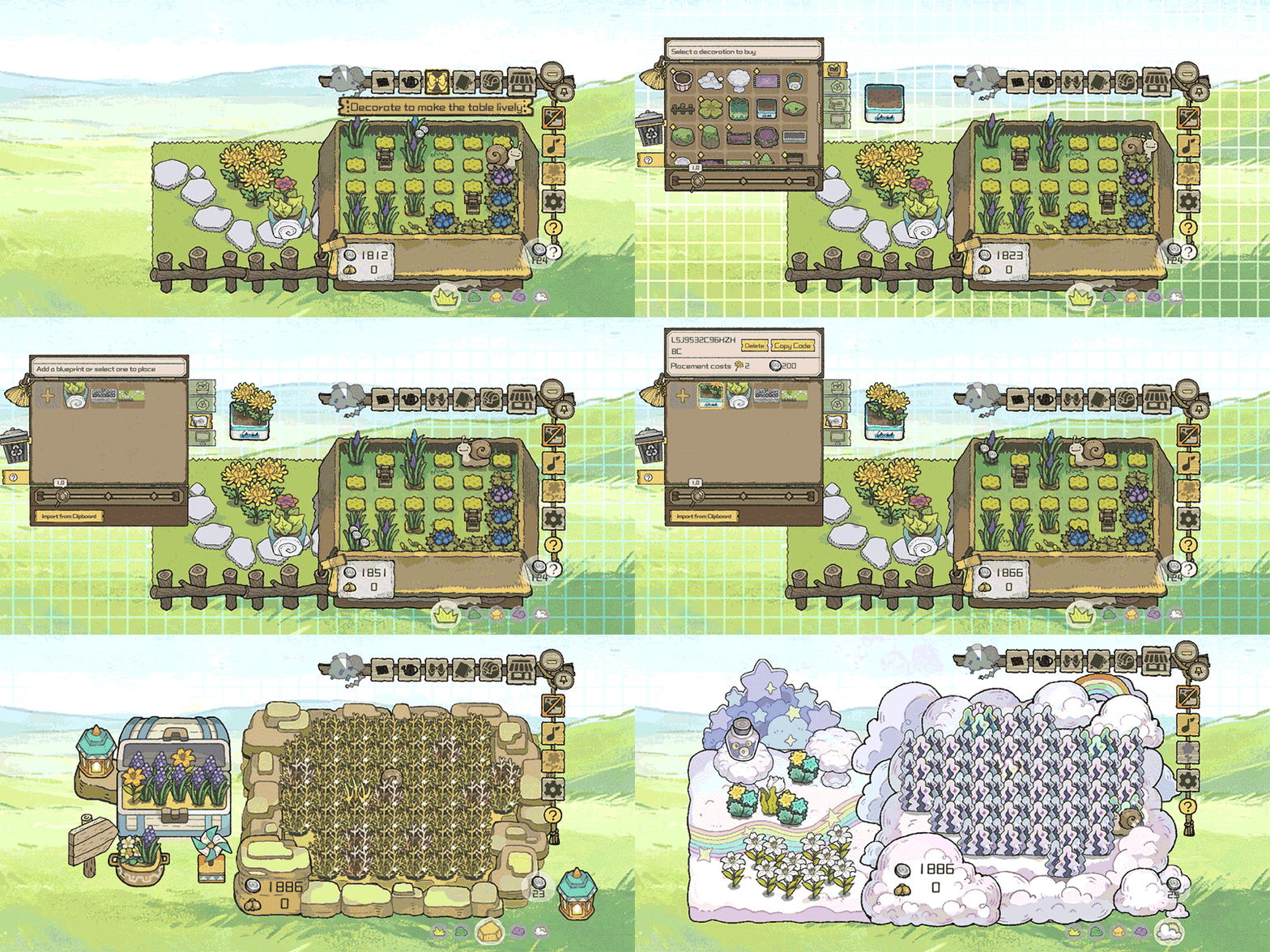
Those flowers you worked so hard to grow don’t have to stay in your inventory. Bring them out and decorate your desktop!
Place ground pieces, plant stands, and flower pots wherever you like, then fill them with your harvested flowers. Forget the usual planting restrictions—let them bloom all over the place!
The full game also introduces saved decoration blueprints and switchable layouts!
In the Blueprints tab, drag to select a group of decorations and save it as a blueprint. Then copy and place it wherever you like. With layouts, you can save entire desktop arrangements for later or switch them along with your flower pot.
Both features support share codes, so you can swap your creations with friends! Just remember: you’ll still need enough coins and flowers in your inventory to place everything~
6. A refreshed soundtrack for your perfect atmosphere
We’ve created ten tracks for the full game, with different moods to suit all five maps, replacing the AI-generated music from the demo. We hope these cheerful tunes bring a little extra joy to your day!
For an idle desktop companion you might leave running for hours, we know the number and variety of tracks may not cover everyone’s tastes just yet. We’ll also consider adding more lovely music over time, as our budget allows~
7. Sweet flowers, cheeky bugs, and a little stress relief
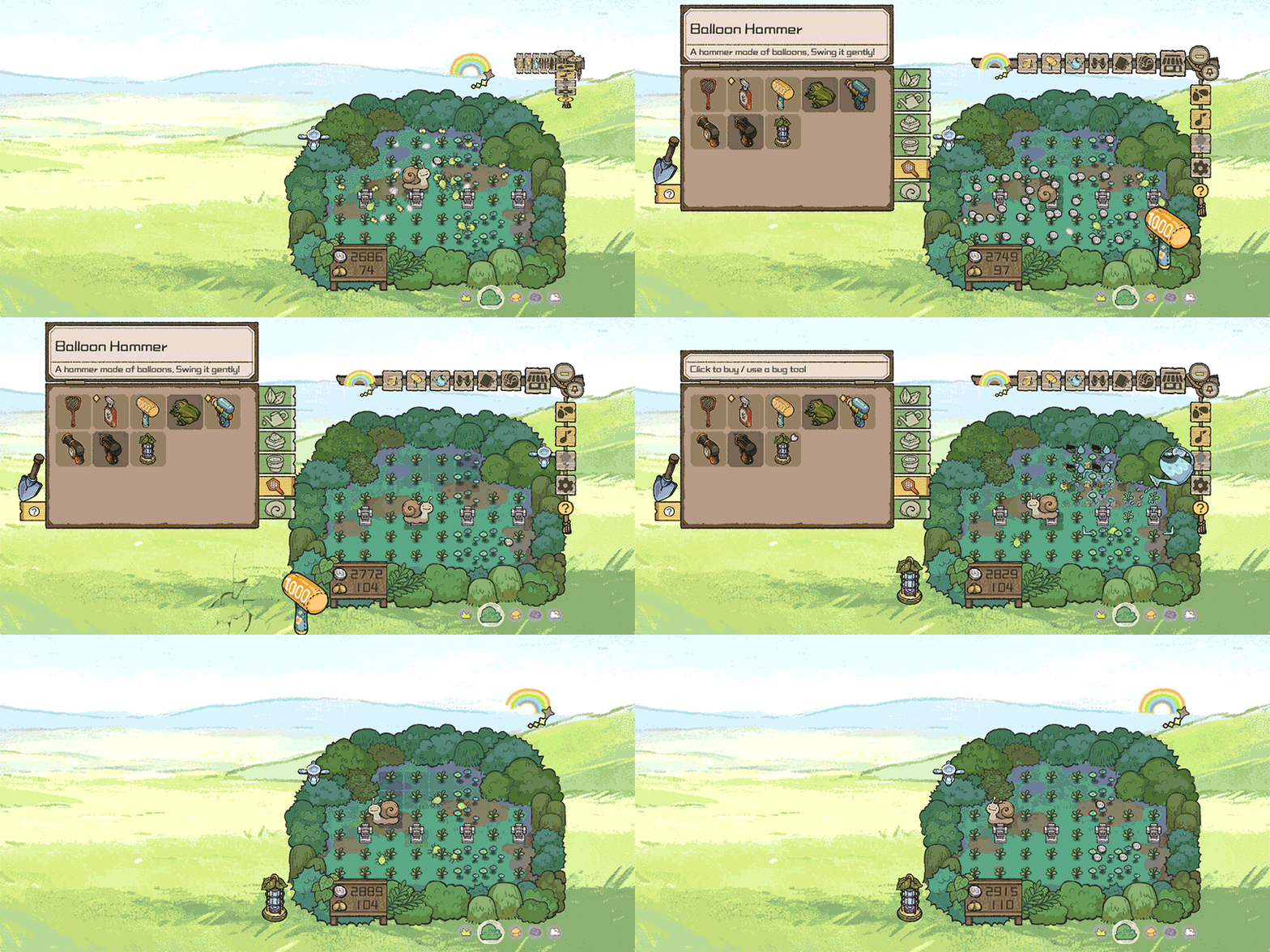
Alongside all those adorable flowers, your garden may attract a few troublemakers: bugs!
Fertilizing your plants can draw all sorts of little critters into the garden—or send them flying all over your screen! Okay, yes, we admit it. This is our own slightly mischievous idea of fun. XD
The full game includes five bug-zapping tools and more than twenty types of bugs. We’d also like to build on this buggy little side activity with decorations they enjoy or other resources that won’t interfere with growing your garden~
From the very beginning, bug-zapping was meant to offer a satisfying way to blow off steam. As development went on and we heard more from players, we settled on making it an optional side activity.
Need a little release? Turn bugs on and go wild! Time to focus? Hide them with one click, and your desktop is tidy again.
And if bugs really aren’t your thing, you can disable the feature completely. Every part of your garden will work just fine without them!
To celebrate the launch, we’ve also teamed up with some fellow developers to put together a few bundles for fans of idle games and little work-break distractions. Take a look and see if anything catches your eye!
You’ll find all the bundle details in a separate announcement~
As for what comes after launch, our first wish is simple: please let the game run smoothly, without too many bugs! The unintended kind, that is.
We’ll keep smoothing out awkward controls and adding useful quality-of-life features. We also plan to add decorations, cosmetics, plants, and other little goodies from time to time.
If you’re enjoying BuGarden, please give us a follow and join our community group to keep up with the latest news~
Happy gardening, everyone!
Posted by the game’s developer or publisher to its Steam community hub and published by Valve through Steam’s public news API. Sifter reproduces it unedited and writes none of it.