Defrag Incremental 1.1 — Major Gameplay Update
Defrag Incremental has changed a lot since launch.
During the last month I have been working mostly on the parts of the game that I was not happy with. I wanted the early game to have more things to do, health and heat to matter much sooner, upgrades to be easier to understand, and the systems outside the defrag to have more weight.
Version 1.1 brings all of this together.
DISKS NEED MORE ATTENTION
Health and heat now appear much earlier. Disks can arrive damaged, already hot, or with properties that make them harder to work with. There are also more things that can happen while a disk is running.
You may need to decide if you want to spend resources to stabilize a disk, accept more heat for extra Reboot Charge, deal with damaged sectors, or simply stop pushing your luck.
Sometimes playing safe is better. Sometimes there are ten minutes left in the workday and you really want that disk finished.
UPGRADES ARE EASIER TO UNDERSTAND
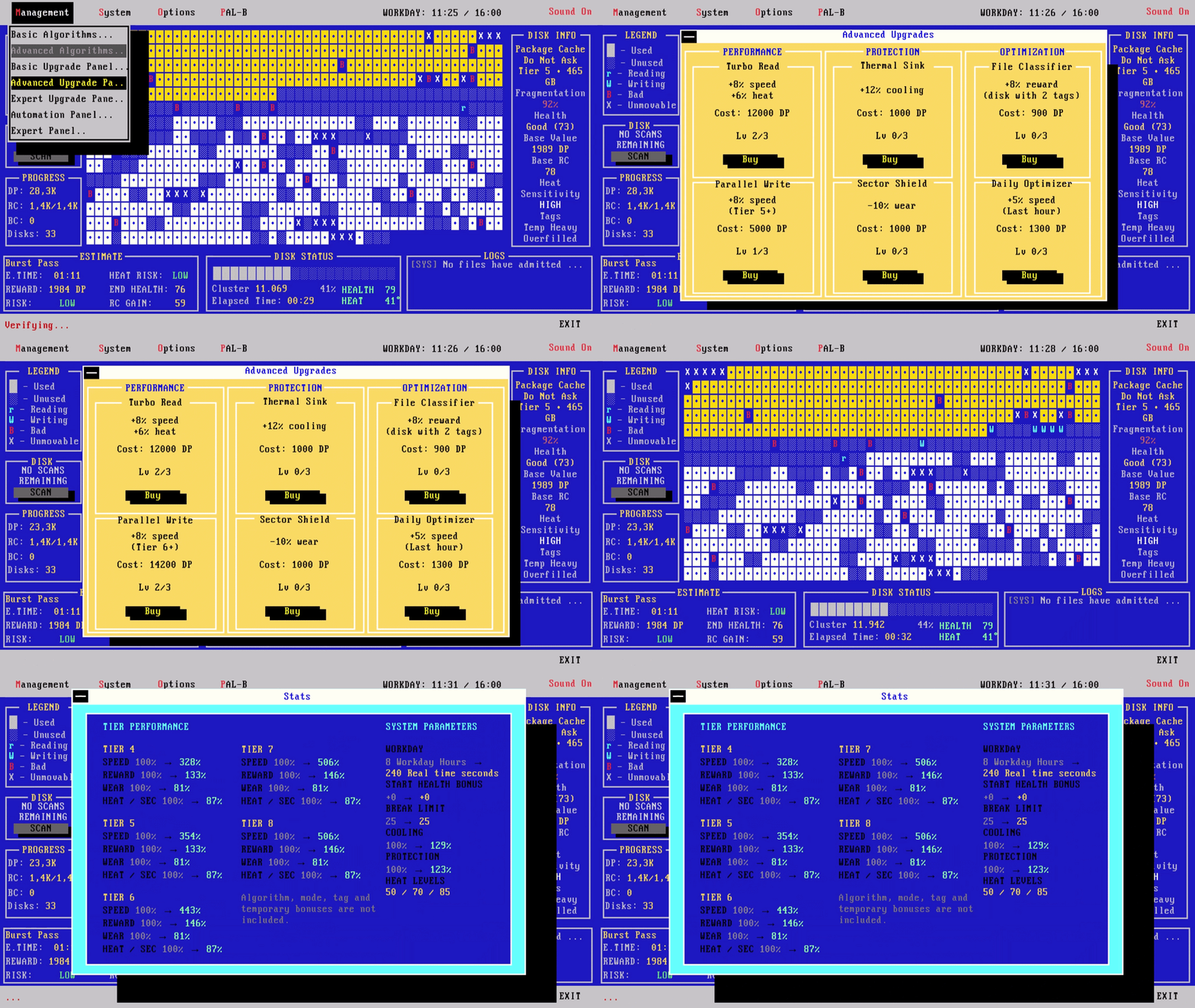
One thing I did not like in the original version was how hard it could be to tell what all the small upgrades were actually doing.
There is now a System Stats panel that shows the final values produced by all the upgrades you have bought. A +5% or +8% upgrade may not look like much on its own, but later in a run those small improvements can add up to several hundred percent.
Now you can actually see it.
THE LIFE SYSTEM HAS BEEN REBUILT
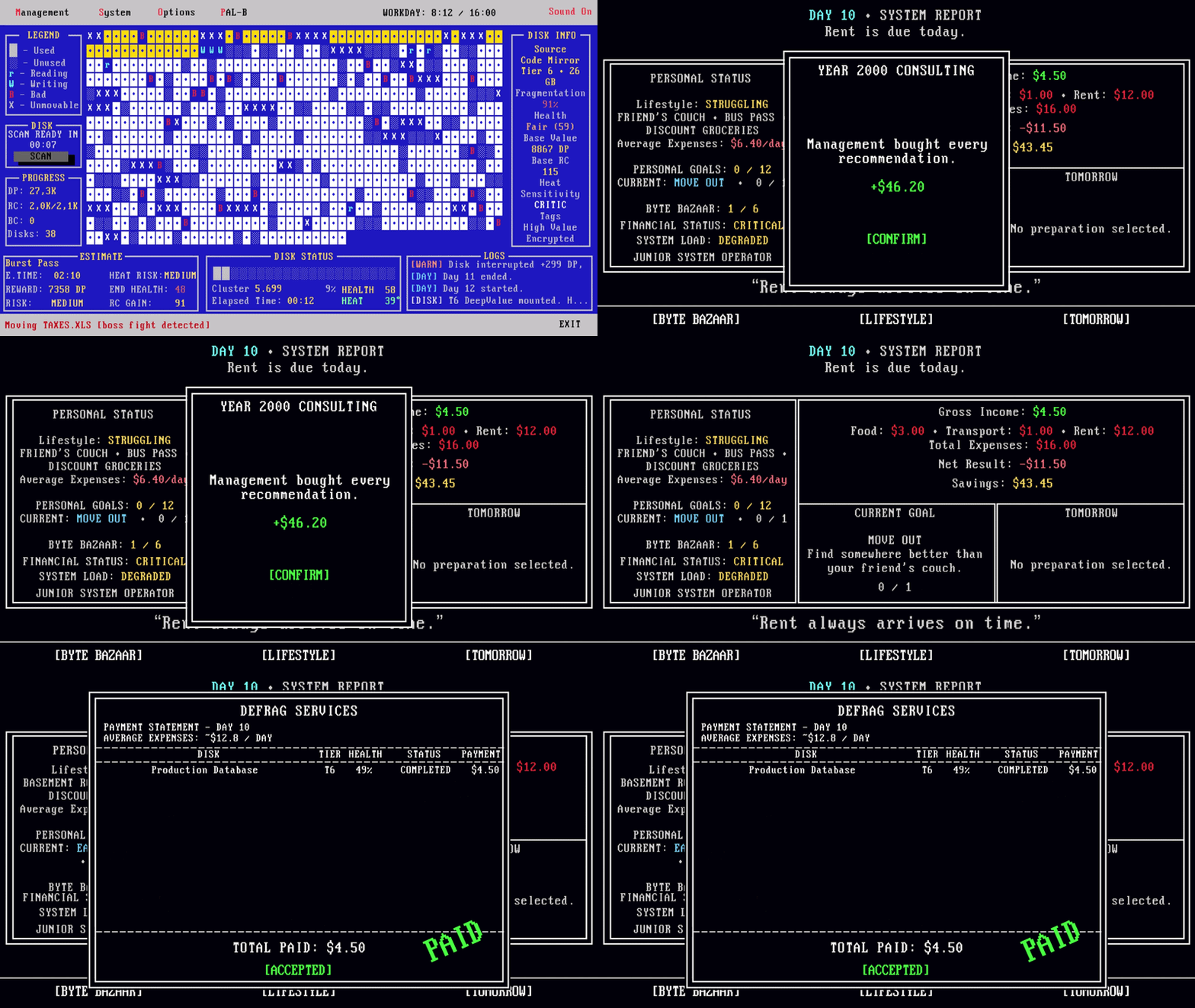
The money system at the end of the day was originally meant to be a small narrative layer around the main game. The problem was that it was too easy to make money, so after a while it did not really matter if you had a bad day at work.
I have rebuilt this system much closer to the idea I had when I first made it. The disks you complete determine how much money you make. Then you have food, transport, housing and other expenses outside work.
What happens during the defrag now has a much clearer effect on this part of the game.
REBOOT AND START AGAIN. BUT NOT FROM ZERO.
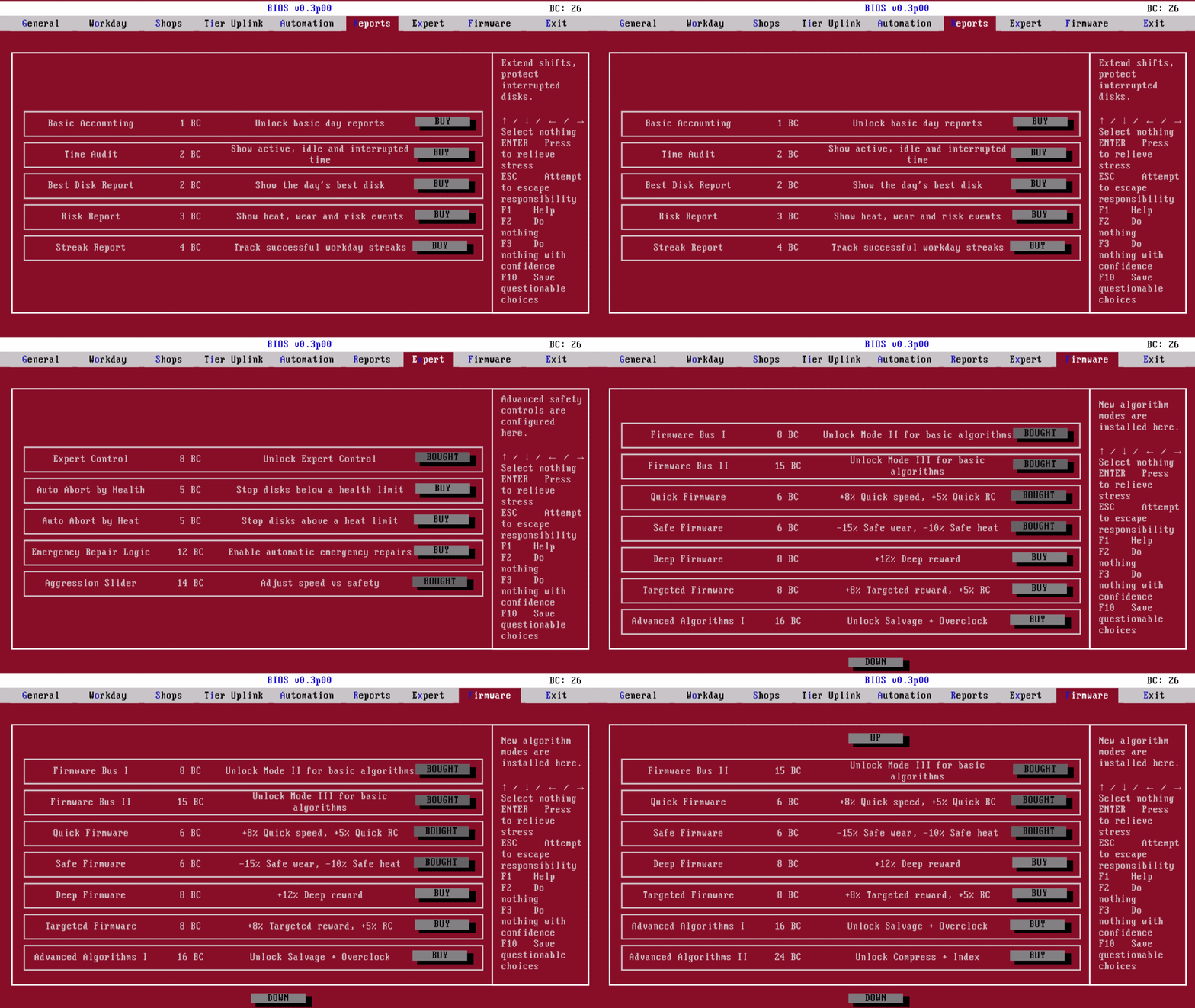
Reboots still reset the temporary upgrades from your current run. But the Reboot Charge you collect becomes BIOS Chips, and BIOS upgrades are permanent.
There are 53 permanent BIOS upgrades, including new shops, longer workdays, automation, reports, expert controls and other tools. Automation can do a lot of the routine work for you, but it follows fairly simple rules.
You can leave it alone. Or you can usually do better yourself.
THERE IS MORE TO FIND
The Diskdex keeps track of how much of the game you have discovered.
There are:
- 8 disk tiers
- 7 disk archetypes
- 13 disk tags
- 8 special disks
- 24 algorithm/mode combinations
- 3 upgrade shops
- 53 permanent BIOS upgrades
- 12 personal goals
- 6 Byte Bazaar discoveries
- Daily conditions and contracts
- Automation and Expert controls
- Housing, transport and food progression
And yes, the Diskdex goes to 100%.
IF YOU PLAYED AT LAUNCH
A lot has also changed since the first version of the game.
I have fixed many of the problems reported during the first days, including issues with window sizes and aspect ratios, the workday and reboot systems, UI readability, upgrade information and progression problems. There is now manual saving, better information about your upgrades and BIOS purchases, and many smaller fixes and improvements across the game.
The current version is very different from the one that was available during the first hours after launch.
A lot of the feedback from those first weeks has gone directly into this update. If you played Defrag Incremental at launch, this is the version I would like you to see.
The demo has also been updated to the current version. It gives you 8 workdays to see how far you can get.
Thanks to everyone who has played the game, reported problems or taken the time to tell me what did and did not work for them.
I am still working on it :D!
Posted by the game’s developer or publisher to its Steam community hub and published by Valve through Steam’s public news API. Sifter reproduces it unedited and writes none of it.