Test Branch Update — Version 1.0.4.0
To prevent nasty bugs from slipping into future versions, we've opened a "Test" branch as an early-update branch for each version. This branch is used for testing each version, so the risks are unpredictable — we don't recommend regular players switch to it. Brave players can right-click the game → "Properties" → "Game Versions & Betas" → select the "test" branch to try out new versions early. (Be absolutely sure to back up your saves, and beware of data loss and other nasty bugs caused by the test branch.)
Test Branch Update — Version 1.0.4.0
Improvements – Convenience Controls
1. Now, when you select a character and click on a resource or facility within range, it will quickly change their priority work state and set that target as their priority target. 2. Similarly, with a character selected, clicking on a road (the floor tile characters move on) in the combat area will quickly set them to combat state.
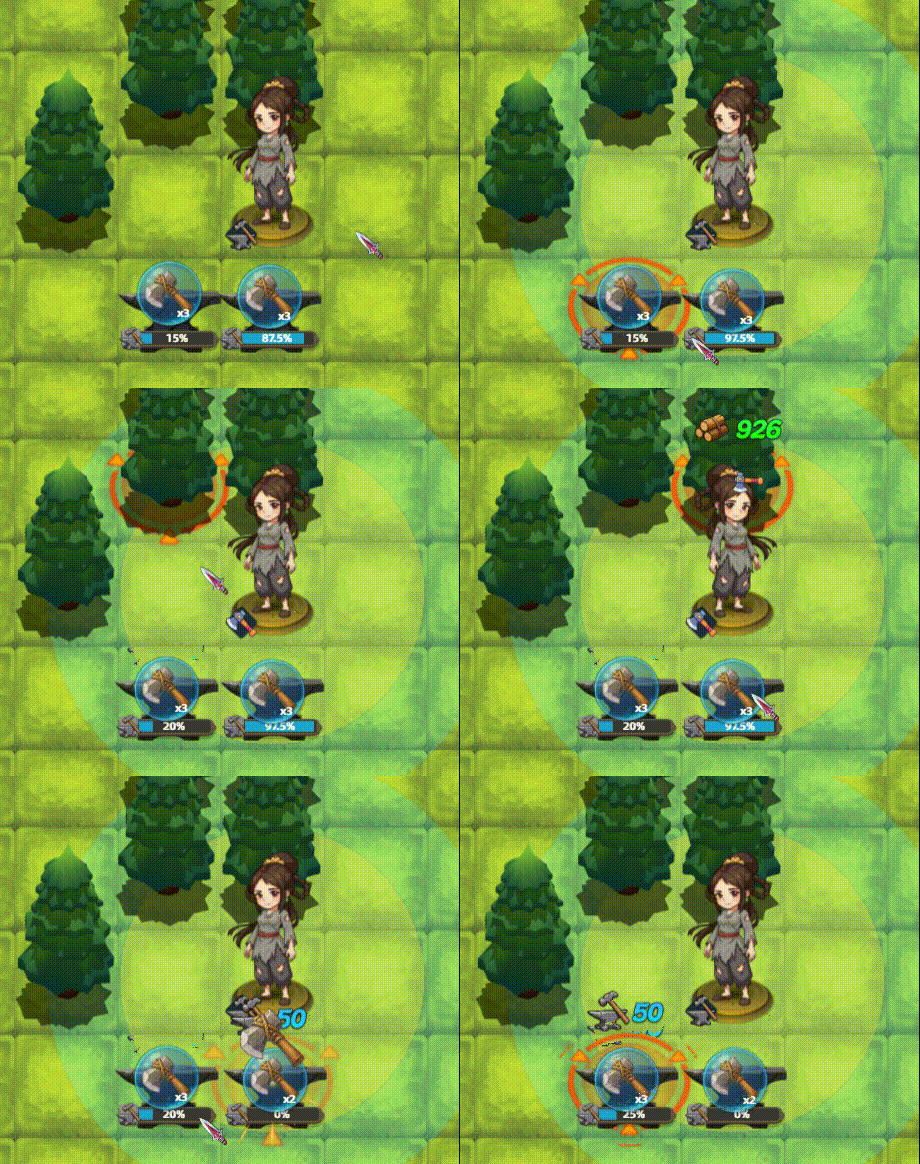
The default version will be updated with the above content immediately once the Test branch feedback confirms stability. A separate announcement will be posted at that time!
If you enjoy this game, we sincerely beg you to leave a positive Steam review! It helps the game go further! Thank you so much!
Solutions for Crashes or Being Unable to Enter the Game
- Crashes (mainly Win11 users): Right-click the game in your Steam library → "Properties" → select "Game Versions & Betas" → select "win11stable"
- Can't enter (Win7 users only): Right-click the game in your Steam library → "Properties" → select "Game Versions & Betas" → select "win7compat"
- Can't enter (NWjs error shown): Clean up your C drive to free up enough cache space. (The engine needs some virtual cache space.)
- Stuck on the blue "Enter Game" button in Steam: Right-click the game in your Steam library, open the game installation directory, and "Run as administrator"
- 50-series GPUs: Please disable AI frame generation in your GPU settings, set the GPU to high-performance mode, or try updating your graphics driver.
- "Failed to start the game's process" error: This is caused by Win11's Smart App Control blocking it. Disable it in Windows Security Center → App & Browser Control → Smart App Control settings.
If problems persist, you can contact me via email or the QQ group for one-on-one support.
Finally, I hope you'll follow Xiao Mang's Steam developer page. With AI games on the rise, I'm afraid we might lose track of each other T . T https://store.steampowered.com/curator/44065864
Posted by the game’s developer or publisher to its Steam community hub and published by Valve through Steam’s public news API. Sifter reproduces it unedited and writes none of it.