Oct 5, 2026 - Interface and Menu Update
This update introduces a complete overhaul of the user interface, a redesigned main menu and lobby, and furniture positioning fixes for the Outdoor and Sports stores.
Highlights
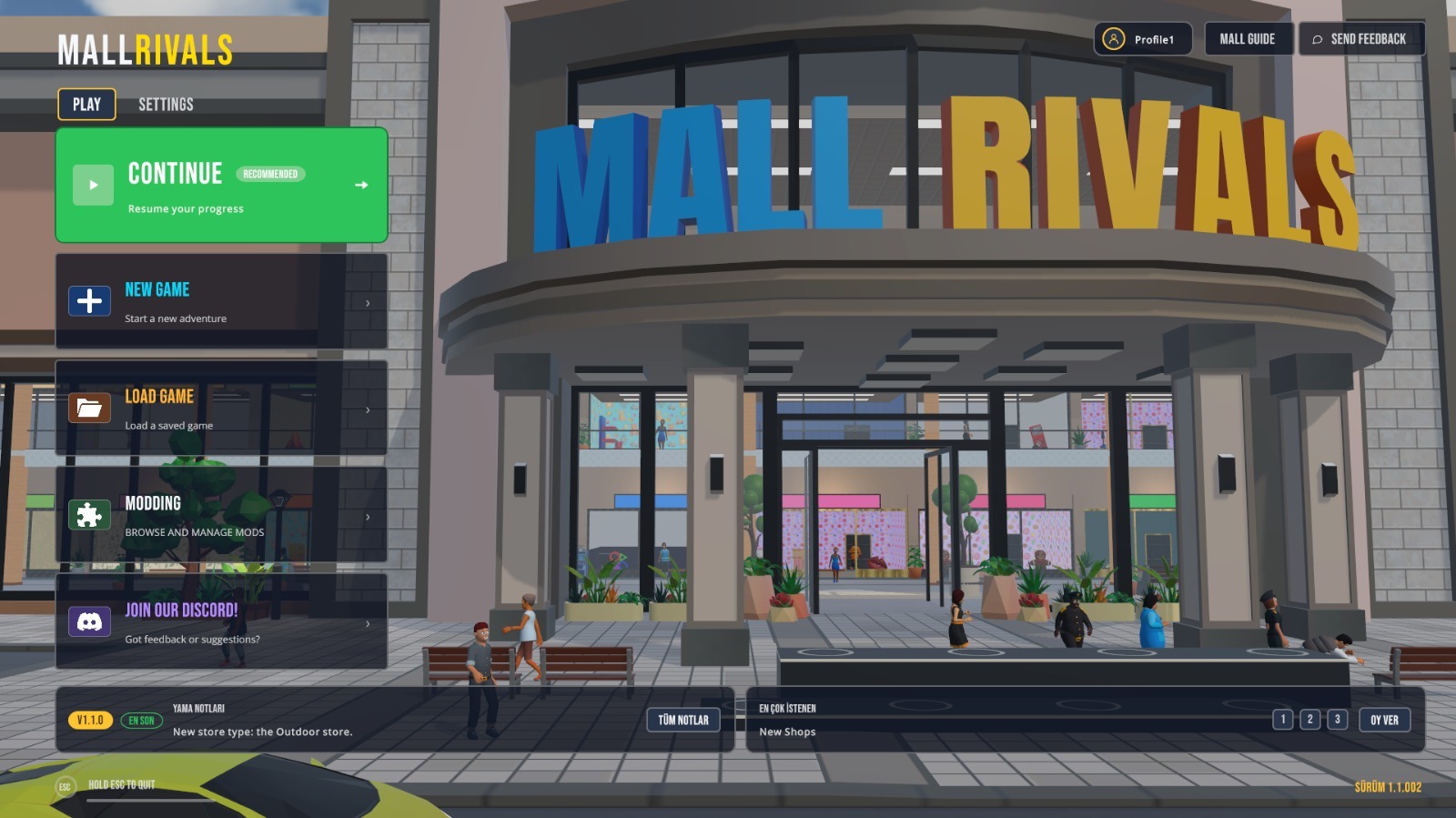
- A new main menu with a live background in front of the mall
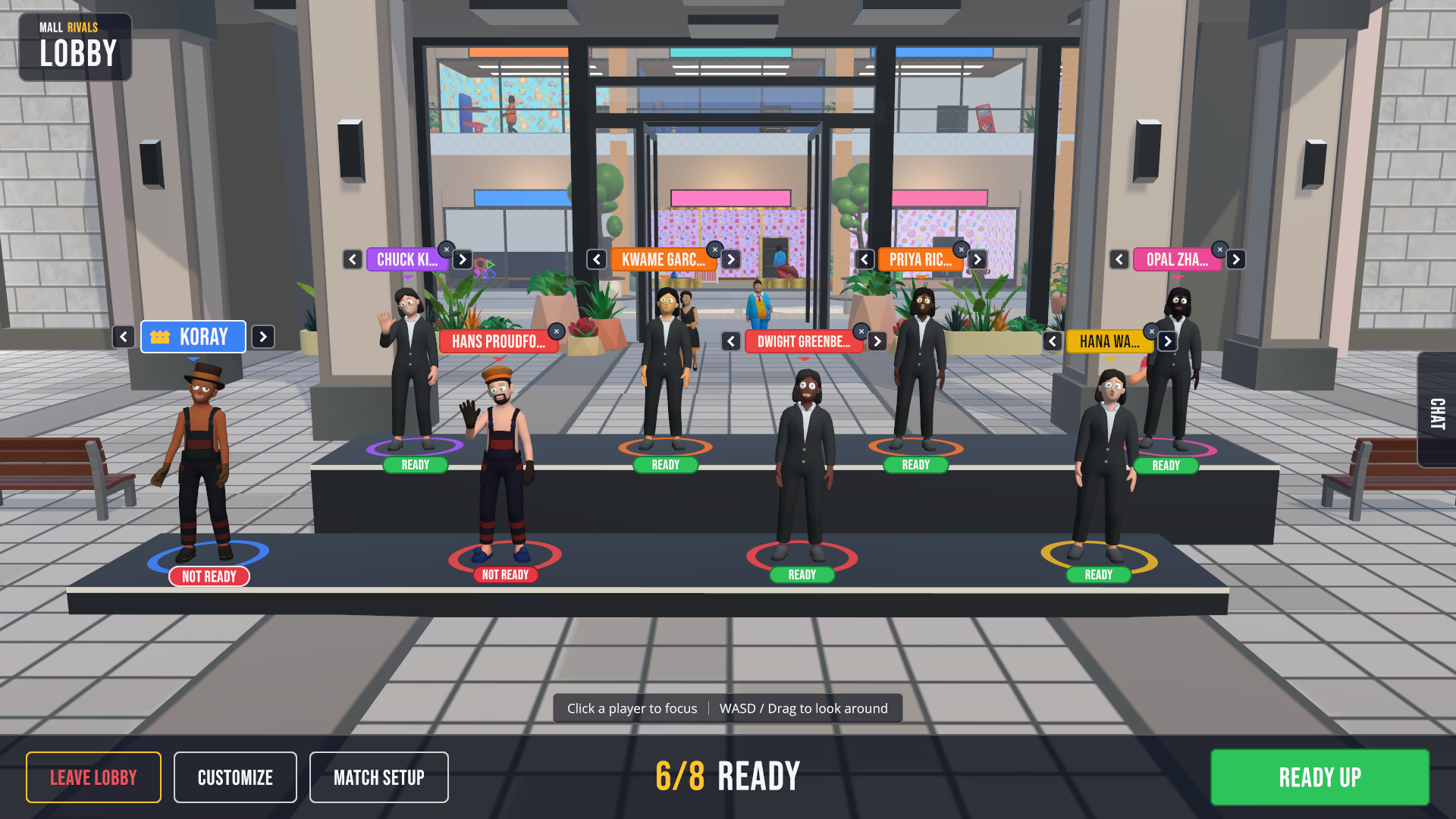
- A redesigned stage lobby with a live, mall-themed background
- A full user interface overhaul across the game
New Features
- Main Menu : The main menu now features a live background. When the game launches, players are placed in front of the mall, where shoppers enter and leave beneath the Mall Rivals sign, rest on the benches and walk past the storefronts.
- Lobby : The lobby has been redesigned as a stage inside the mall, with a live background that reflects the mall's own theme. Each player appears on stage with their name tag and ready status, and a counter shows how many players are ready. Players can customize their character, adjust the match setup and open the chat without leaving the lobby, and can look around using WASD or by dragging.
Improvements
- Interface : The user interface has been overhauled throughout the game for a cleaner and more readable experience.
Bug Fixes
- Outdoor Store : Fixed furniture positioning in the Outdoor store. All furniture is now placed correctly.
- Sports Store : Fixed furniture positioning in the Sports store. All furniture is now placed correctly.
What's Next?
Development continues. New content, new mechanics and further updates are on the way. If you would like to share feedback or suggestions with us, please use the Send Feedback button in the main menu. We read every message.
Thank you for continuing to share your reports and clips in the discussions and on Discord. They play a key role in shaping every update.
Mall Rivals Team
Posted by the game’s developer or publisher to its Steam community hub and published by Valve through Steam’s public news API. Sifter reproduces it unedited and writes none of it.