Rayman Legends Retold: Accessibility Features
Rayman Legends Retold will be released on December 3, 2026, and comes with a set of accessibility features, that the team wanted to take a moment to break down and explain to you all.
Providing the Rayman fans with the right tools to enjoy the game, no matter who you are, deeply matters to us.
Every player can customize their own experience by activating or deactivating each feature individually – even in co-op.
Fairy Blessing
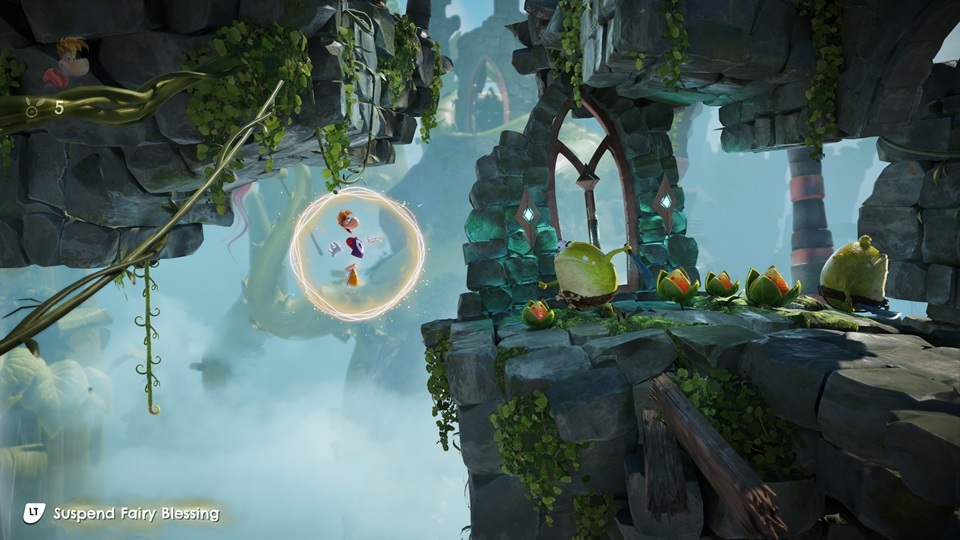
If the player dies repeatedly at the same checkpoint, Betilla will appear and offer her help through the Fairy Blessing power. At that point, the player can choose whether to activate it, decline it for the moment, or refuse this assistance for the rest of the playthrough.
Players can also enable Fairy Blessing at any time by speaking to Betilla or through the Settings menu.
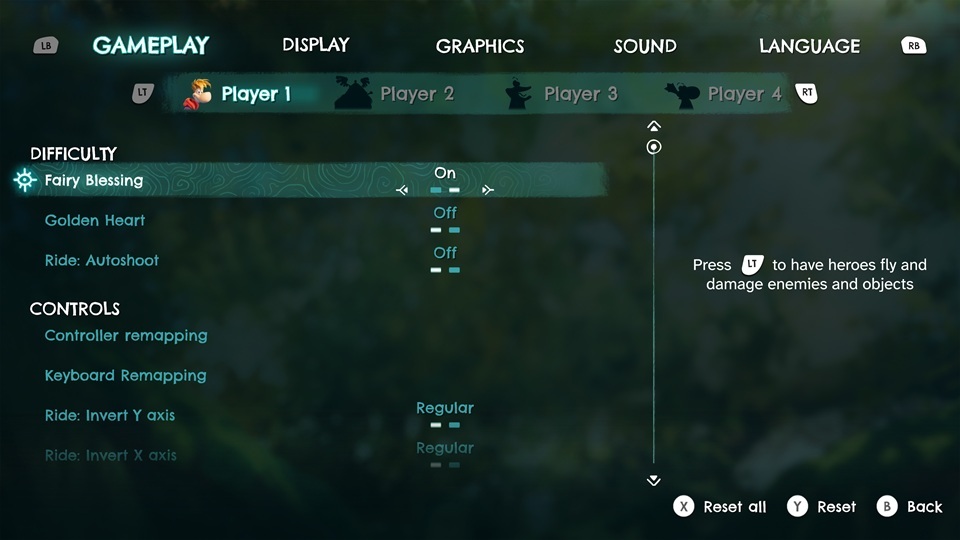
If enabled by the player, this blessing will:
- Prevent players from receiving damage
- Allow flying, also through breakable obstacles
- Revive yourself and floating allies
In the Land of the Livid Dead, colliding with corrupted elements while the Fairy Blessing is activated will replace the use of Fairy Radiance. If Fairy Blessing has been activated, players can invoke it by pressing L2 / LT / ZL (by default) and then again to remove the effect.
Note: some areas will not allow for the use of the Fairy Blessing: The Hubs, Kung Foot and all the Cave of Trials challenges.
Golden Heart
If activated, the Golden Heart will spawn after a certain number of deaths at the same Checkpoint.
The Golden Heart works the same way as the Red Heart but protects the player from an extra hit. After receiving damage, the Golden Heart will be replaced by a Red Heart.
Autoshoot
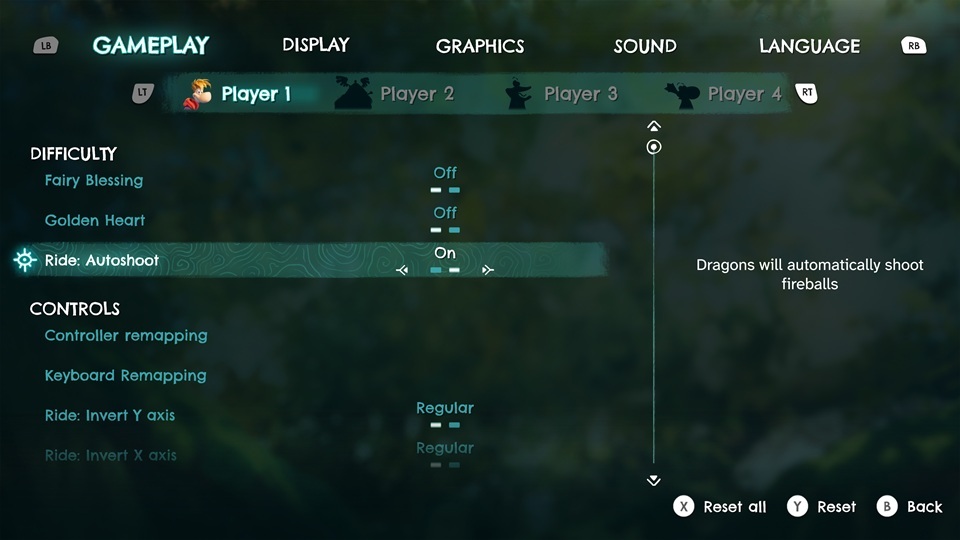
The Autoshoot feature is designed to make Dragon Rides more accessible. Those levels are visually crowded and sometimes require fast-paced manual input. If activated, Tthe Autoshoot will launch fireballs automatically, once your dragon is a certain distance from a target. This feature drastically reduces the number of inputs needed to complete those rides.
Hold/Toggle
As it can be challenging to hold buttons for some players, the game will also offer the option to switch between the hold and toggle input for specific actions:
- Glide
- Run
- Murphy: Eat Cake
Automatic Actions
are designed to reduce the need for rapid or repetitive clicking during gameplay.
In Rayman Legends Retold, this translates into the following:
Arachnophobia Mode
We know spiders aren’t everyone’s favorite. While they only appear in the background, you can remove them completely with Arachnophobia Mode. Turn it on and enjoy the game your way - no spiders, no distractions!
High Contrast Mode
In Rayman Legends Retold, the high contrast mode is designed to ensure players can perceive gameplay elements.
Highlights
The highlight feature allows players to clearly identify gameplay elements and can help reduce cognitive load. It can be used as an alternative or complement to the high contrast mode. The following elements can be highlighted:
- Interactive Ingredients
- Rewards
- Enemies & Harmful Objects
- Players
HUD Background
This feature improves legibility, as well as the visibility of on-screen information. A dark background that can be set to 50% or 100% opacity has been implemented behind any HUD element.
Subtitles
Our subtitles can be adjusted in different ways:
Three font sizes are available (Small, Medium, Big).
Subtitle background opacity is also available (No background, 50% opacity and 100% opacity).
Finally, you can also choose to activate the speaker names for more clarity.
We’ve also continued to expand the game beyond the features already mentioned. We always aim to include as many options as possible to make the experience more comfortable, accessible, and account for a wide range of player experiences.
In addition, the game includes:
- Multiple input devices - both keyboard/mouse and gamepad support on PC.
- Remapping of gameplay controls for gamepad and keyboard on all platforms.
- X and Y axis inversion for both sticks and mouse for the ride gameplay.
- Vibration intensity can be turned off.
- No QTEs (quick time events)
- Alternative sans-serif font for readability
- Camera shake can be disabled
- Separate volume sliders for master, music, ambient, SFX, voice and UI sounds.
- No important information is communicated through sound alone.
The Rayman Team✌️
Posted by the game’s developer or publisher to its Steam community hub and published by Valve through Steam’s public news API. Sifter reproduces it unedited and writes none of it.