Wood, Flowers, Workshop & more
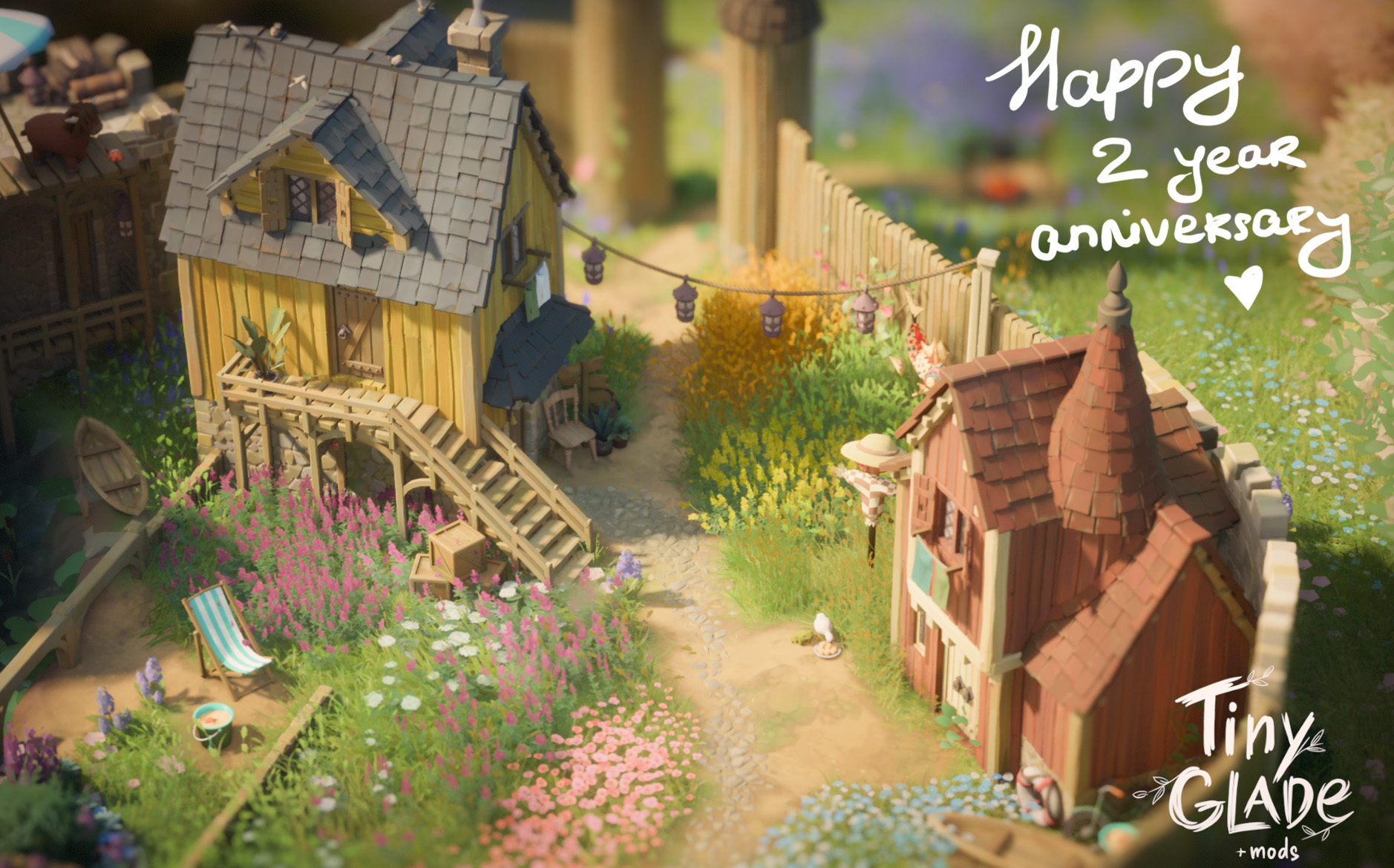
I can't believe it's been two years since Tiny Glade shipped :D I was secretly hoping we could launch this chonk of an update on our anniversary. Some of the features here have been at various stages of prototyping for more than a year, and it feels simply great to finally place them in your hands. As is our custom, the update grew even throughout the beta: inspired by your creations, we couldn't keep ourselves from adding a few little bits here and there. Huge thanks to everyone who helped us with testing, and took the time to write feedback <3
Okie-dokie, let's go through the list of all the exciting new stuffs!
Features
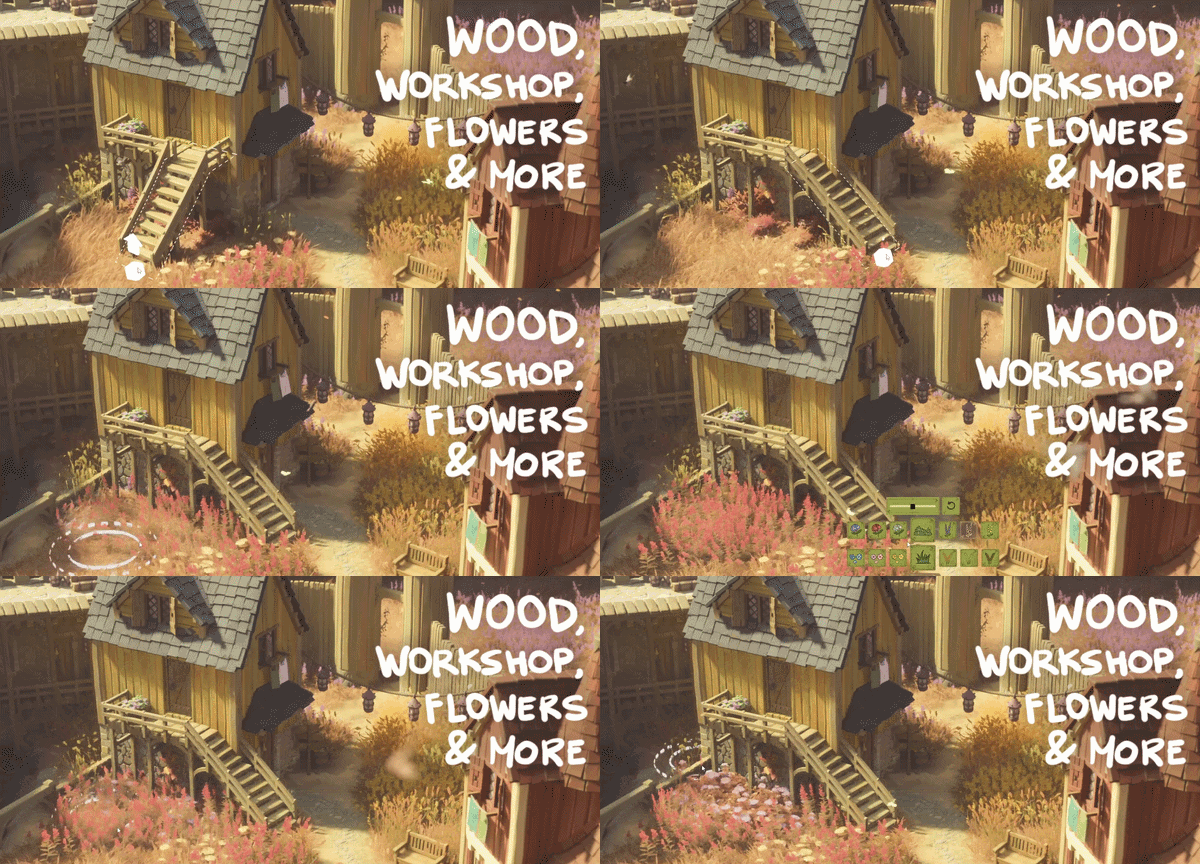
Wooden walls, stone foundations

This is the highlight of the coming update. A lot could be said about it, but it’s better experienced :3
Our initial prototypish version had a lot of tricky edge cases as usual, and it took a few iterations to figure out all the 4D chess: cutting window holes out of planks, placing the wooden and brick frames around windows in all the right places, tippy-tappy creaky audio for all the permutations, what happens if you raise the stone foundation all the way up, and so on.
There's all the stuff mentioned in our last Dev Diary: wooden walls with horizontal & vertical planks, stone foundations, wooden fences (vertical planks only). It should all behave itself now, so all those Nordic villages can now be safely tinygladeified ✨
Wooden stairs

Once we got the wooden walls working, something still felt amiss. You'd have an olde wooden building, and then plop stairs on it and... they wouldn't quite fit, being all brick-like. So we went and added wooden stairs too. Just like with wooden buildings, you switch the material via the color customization tool.
New meadow plants

We've expanded our gardening tools -- you can now paint colorful flowers and grain plants in the meadow. You can "paint over" the same plant to make it bushier too. The grass is also much more detailed now, and looks fluffier in the distance.
Nerd trivia: this started as just a tech investigation: we'd been quietly scheming about maaaybe supporting larger glades in the future 🤫 and... our grass system just wouldn't scale. A few bathtubs of coffee later we had a new authoring & rendering system, loosely inspired by "Nanite Foliage", and it enabled us to add all sorts of plants, not just grass.
Controllable fog

The "time of day" menu now has controls for fog. You can change its density, height, and how much it clings to the ground. Just as with time passage, you can keep it locked however you like, or let it do its thing over time. In winter glades, there is now a snow control, too.
And since we know you're really here for the nerd trivia: this took a complete rewrite of our participating media renderer; we've now switched to the "froxels" method, which also allowed us to cheaply integrate local lights, so lanterns illuminate the fog now 💡
Workshop support

In Swedish, there's a wonderful word: "nja". It's a blend of "nej" (no) and "ja" (yes). It was also our typical response to "does Tiny Glade support mods?"... Njaaaaaaa it kinda does, but you basically have to replace the game's own files, and it's a bit of a mess.
We're shifting that a bit towards "jaaa": we're adding some Workshop support:
- Mods can add new clutter items to the game (the stuff that spawns around windows and that you can move around)
- Existing community mods that rely on asset replacement can now be shared via Workshop too (Tiny Farms, Eastern Glade, Tiny Ocean, etc)
Hint: modded clutter loads automatically. Other mods you need to enable per glade: Hit Escape, then MODS → GLADE MODS.
This does not mean that Tiny Glade is now infinitely moddable -- you can't turn it into a racing game or add new doodling tools, metal walls, etc. That kinda thing mostly flies in games made in C# or Java, where modders can decompile the bytecode and go wild.
Please also note that this is just our first baby step in Workshop land, and there will likely be some teething troubles initially, for example:
- The game eats more memory for every mod you subscribe to, even if not used in a given glade.
- There's no filter/search in the clutter picker UI, so it may grow a bit unwieldy.
- If a mod author updates or removes an item, that will immediately affect your glades.
- You can't place clutter items on top of other clutter items (if you see it anywhere: it's hidden stairs).
We will address those sorta issues over time. Please hold... 📞
Mod developers: here's some info for y'all!
Editing tools
Clutter picker UI

Have you ever woken up at night thinking, "I wish Tiny Glade had more UI windows"? Yeah, we thought so too... Don't worry, we got you.
We've been itching to add a new UI window somewhere but couldn't figure out where to put it. After much research and deliberation, we figured "ehh, I guess let's just add a clutter picker". So as a side effect I suppose it's now easier to change clutter -- especially if you download a bunch of clutter mods.
Grouping and group move / rotation / elevation

This one is not a new window, but hopefully still useful.
You can select multiple buildings/walls/fences together and move/rotate/elevate them as a group. The groups can also be bookmarked, so next time you want to nudge that elaborate castle tower by 2cm eastward, you don't need to re-select the whole thing again.
The default controls: right-click one building, then while holding Left Ctrl, right-click another, and another, and...
Freehand wall / fence rotation
Once we added the ability to rotate groups, we realized that it was the only way to rotate freehand walls/fences... so for completeness, we also added rotation to the latter.
Style clone tool
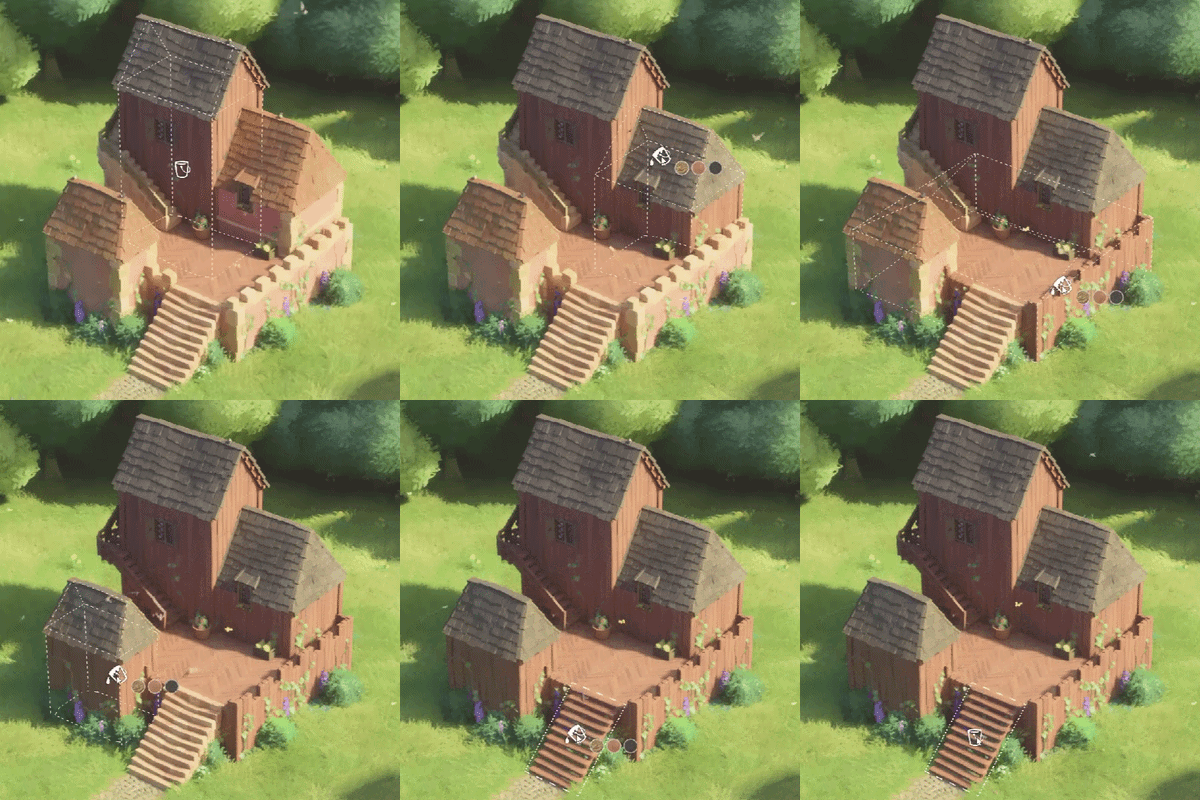
There is a new tool in town! It's located under the customization category (a bucket icon). It allows you to copy style from buildings, walls, stairs, fences and windows and transfer it onto another structure. If you pick a window, you can either recolor other windows, one by one, or flood-color all the windows on a structure.
Misc UX stuffs
Always-on input hints
We got inspired by how accessible some simulator games are, so we nicked an idea from them: the left side of the screen now has a box that always shows input/controls hints, based on the current tool, item being highlighted, etc. We think it's a nice discoverability boost, but if it makes you feel like you're playing Orbital Welding Simulator 2026, you can disable it in settings.
Cursor-centered toolbar popup

We also got slightly envious of games that have radial menus for quickly accessing commands. So we figured we could shorten our mouse travel distance as well. Mashing Spacebar (or the mouse "Back" button) will now bring up a compact version of the toolbar wherever your cursor is. You don't even need to click on any of the icons -- just release the key/button. If those keys aren't quite your vibe, you can rebind "Quick tools" in settings.`
Quick eraser for raster tools

When painting paths/cobblestone/plants/water, you can hold the "disable snapping" key (Left Ctrl by default) to temporarily switch to the eraser for the active tool -- so if you draw a path too far, you don't need to undo it and redraw it; you can just quickly erase it without embarking on a toolbar round-trip.
More flexible input binding
We've refactored our input binding system. Previously inputs could only be either keys or mouse buttons. Now they can be either. Or both. So for example if you play on a touchpad and "right click" is awkward for camera rotation, you can bind it to a key now.
Hit "Delete" to nuke the selected object
Anything that has "focus mode" (right click by default) can now be deleted via the keyboard "Delete" key (configurable, of course).
A button to open a saved glade's folder
In the glade load screen, there's a folder icon under each glade. Click it to open the operating system's file explorer in that save's folder. No more sorting folders and chasing after random hexadecimal strings to find where your glade lives.
Focus-mode gizmo hygiene

When manipulating tiny shapes / wall pieces in "focus mode", the chonky UI gizmos would often obscure most of the thing you're trying to nudge. Unnecessary gizmos now fade away, so you can get that 1mm placement precision you've always wanted.
Glade border improvements
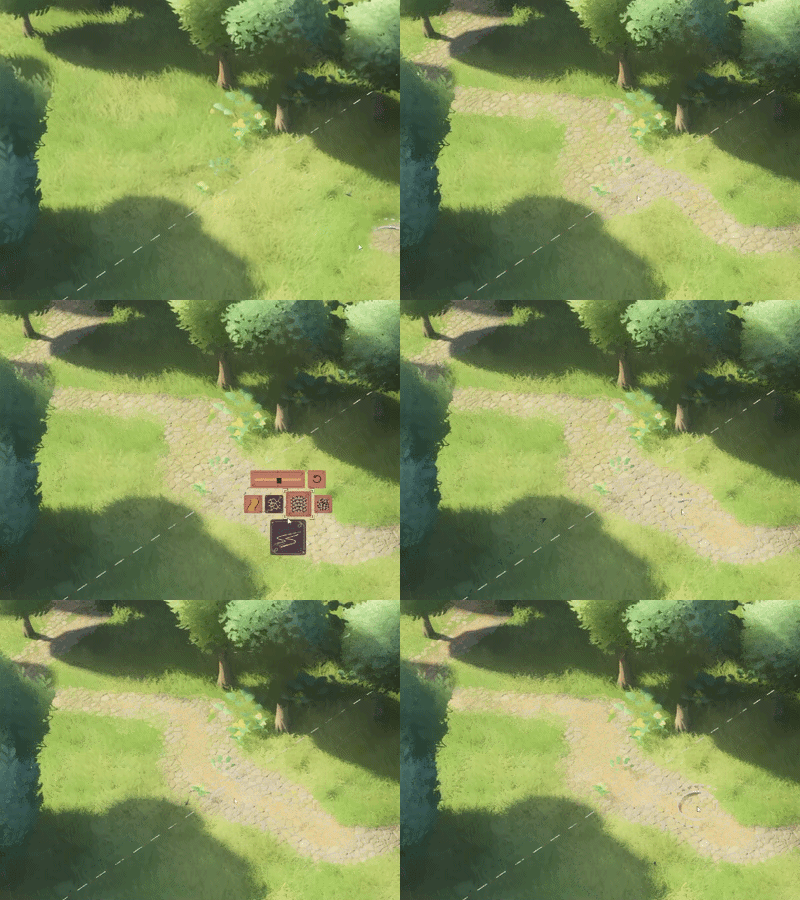
Strokes (path, water, etc) going outside the glade are no longer interrupted; their effects are still restricted, but it's easier to paint close to the edge. More than that, the paths/cobblestone will continue outside the glade for a bit, giving it a more natural look (we totally didn't add it just so the desert glade mod would look more handsome).
UI for importing beta saves
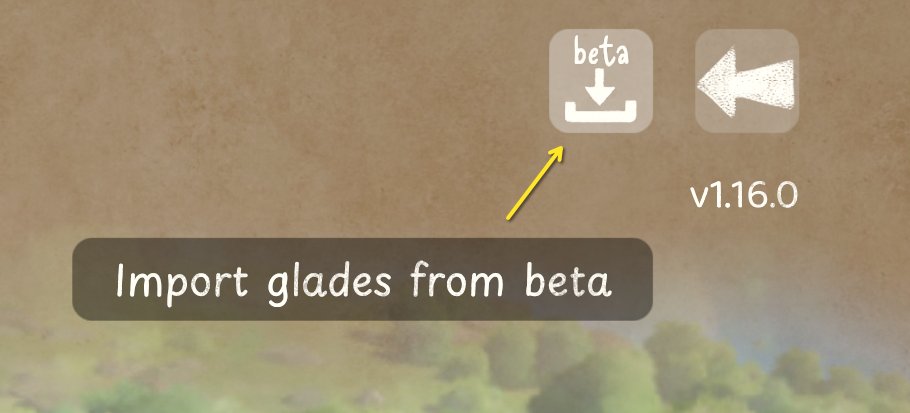
If you played the beta, and find yourself missing the glades you built there, there's now a button for you in the top-right corner of the Load menu. It opens a screen where you can import beta saves into the main game.
Behind the scenes
Bumped most object limits to 1 million
We used to have individual limits for various objects, e.g. "you can only have N thousand windows" or "N hundred plant pots", rooted in being frugal with video memory use. Some players would then run out of those windows / plant pots, and we'd need to decide whether to bump memory requirements for everyone. We've now refactored all that, and now we dynamically allocate memory as needed. You can have up to 1 million of all the things now.
Max walls 10k -> 128k
A few players have also run out of walls while drawing intricate mosaics out of tiny wall fragments. We've shipped contraband builds to a few people, raising their limit to 20k walls. Well, after some code plumbing on our side, everyone gets to enjoy up to 131,072 walls now.
Roofs now bounce & block indirect light
We use ray tracing for indirect light, but it's not the fancy RTX-like ray tracing that modern GPUs have -- ours is very potato so that it can run on old machines. It uses heavily-simplified geometry, and before this update, completely lacked roofs. Well, we're upgrading the potato slightly: roofs are now welcome in our Bounding Volume Hierarchy, and lighting is a bit more realistic around them.
BTW if this makes your indoor scenes too dark, give us a shout!
TGSR 2.0
Tiny Glade doesn't support DLSS, FSR or XeSS. Instead we have our own thing: TGSR -- Tiny Glade Super Resolution, painstakingly eyeballed and hand-tuned for Tiny Glade. It runs on all our hardware targets, it's cheaper than the big upscalers from GPU vendors, but it's not the pinnacle of image quality.
We're improving that with TGSR 2.0. It uses a tiiiiiiny neural network to make better decisions about color than a hand-tuned thing realistically could. It should run as fast as TGSR 1.0, but look more stable and less ghosty.

TGSR version 1.0 vs 2.0, "Performance" preset; zoomed-in to highlight artifacts; BTW I really like this build but I can't remember where I got it -- probably F6 feedback; thank you <3
New rendering backend
This is mostly a nerd note, but we've rewritten our Vulkan renderer's backend, fixing some subtle bugs in the process (and possibly adding exciting new ones, as is the rule).
The new one is easier on the CPU, so if you have a beefy GPU, your framerate might improve in heavier builds. Let us know if you get any unusual GPU-related crashes though.
More precise shadows
Our shadow maps now adapt rather precisely to what the camera is seeing. This typically results in higher-fidelity shadows near and far.
Nerd note: we've switched to Sample Distribution Shadow Maps + receiver-mask-based culling. Volumetrics wanted to ruin it all, so we also ray trace tiny cascaded shadow maps for the fog.
Signed game binary
We now cryptographically sign tiny-glade.exe, so hopefully Windows Defender / Smart App Control will trigger on it less. If you right-click the exe, and look at Properties, then under Digital Signatures, you should see Pounce Light AB as the signer.
SDL2 & Steam Overlay
The care and feeding of operating system windows and event pumps is a surprisingly nuanced art. We mainly use the winit library (crate) to deal with it, which works well enough on MS Windows, but on Linux we ran into trouble with Steam Overlay, which makes assumptions incompatible with winit.
To placate Steam, we're adding SDL2 support to the game, and switching to it by default on Linux. This should make Steam Overlay work without gamescope tricks or Proton.
The windowing backend is switchable, so if SDL2 gives you any trouble, opt for winit via:
--window-backend winit
Misc
Visual
- Fixed platform stairs assembled at a wrong angle sometimes when going over a rectangle's corner
- Some sections of the wood railings on stone stairs are now curved (to better represent curvature)
- Fixed some wood textures not tiling properly
- Fixed stitch bricks not covering gable roof sides
- Fixed incorrect ladder mesh spawned when gates on stone buildings are on steep terrain
- Fixed half-timbering circular beams having no side faces when split by a window (aka no caps)
- Reduced brickitis (bricks popping through plaster as you zoom out -- the distant brick LoD is now an SDF because we always need more raymarching in the game... thanks for coming to my TED talk)
- Improved indirect lighting stability and detail
- Fix rogue black plaster appearing during style changes
- Fix the merged stairs of two different styles sometimes not restoring their original style upon undo
- Stairs' wall-attached supports now check whether there is enough wall
- Gave ducks the water ripple smoothness they deserve
- Fixed blackness in water rendering with no water bed
- Make "path + wall" gates double-sided, so they're not see-through or concave from the inside
UX
- Updated existing starting builds + added three new ones
- The color menu no longer escapes the screen
- Arches no longer block interaction with objects seen through the arches
- Improved visibility of the glade border outline, made it resize with resolution and UI/icon scale
- Color menu: the secondary ring is now always aligned with the primary one. Magic color options are only shown when the clicked segment is affected
- Fixed camera not rotating when high up
- Fixed color menu leaking the wall's top contour style on auto-close
- Added a vector-valued camera rotation action to Steam Input, so you can bind an analog stick directly to rotation without first holding the "right click" input
Audio
- Tweaked the strength of path draw audio
- Rotating single-node stairs now plays the correct sound (and not the same as rotating a lantern)
- Walking on wooden floors now correctly triggers wooden footsteps instead of stone
- Trapdoors now play unique sounds for wooden and stone floors. So do flags.
- Fixed bird nests playing lantern sounds, lol
- Fixed flags audio for stairs
Stability
- Fixed some stuttering on Linux (due to incorrect Vulkan swapchain usage)
- Fixed race condition in mouse cursor visibility management
- A bunch of crashy crashes have been un-crashy-crashed.
- Hardened the handling of crashes & reduced chances of leaving zombie processes behind
- Improved driver info/advice for Intel iGPUs
Misc
- Got rid of the terrain_height and terrain_fog_height textures. They're now derived from the background terrain meshes, making environment mods easier to author
- Replaced in the F6 feedback form the "Attach benchmark" with "Attach diagnostics", which also sends the game's log file for debugging purposes
- Added UI to copy saves between beta and main
Phew! What a list :D
Thank you for reading and playing! We're so happy the update is now out, and we hope you have fun 💚 (meanwhile, we will finally attend to the backlog of laundry we've accumulated throughout the beta)
Love, Tom & Ana (and Martin)
P.S. The previous version is available on the Steam version/beta "old-1_14_3" -- in case something doesn't work, or you don't want to update.
Posted by the game’s developer or publisher to its Steam community hub and published by Valve through Steam’s public news API. Sifter reproduces it unedited and writes none of it.